<?xml version="1.0" encoding="utf-8"?><feed xmlns="http://www.w3.org/2005/Atom" xml:lang="en-GB"><generator uri="https://jekyllrb.com/" version="4.4.1">Jekyll</generator><link href="https://ollyheadey.com/feed.xml" rel="self" type="application/atom+xml" /><link href="https://ollyheadey.com/" rel="alternate" type="text/html" hreflang="en-GB" /><updated>2026-10-28T15:46:27+00:00</updated><id>https://ollyheadey.com/feed.xml</id><title type="html">Olly Headey Photography</title><subtitle>Olly Headey is a street, documentary and portrait photographer based in Edinburgh, offering visual storytelling for brands through commissions.</subtitle><entry><title type="html">Contax S2 review</title><link href="https://ollyheadey.com/blog/contax-s2-review" rel="alternate" type="text/html" title="Contax S2 review" /><published>2026-10-28T00:00:00+00:00</published><updated>2026-10-28T00:00:00+00:00</updated><id>https://ollyheadey.com/blog/contax-s2-review</id><content type="html" xml:base="https://ollyheadey.com/blog/contax-s2-review"><![CDATA[<p>The film camera <a href="https://ollyheadey.com/blog/refurbishing-a-vintage-camera">I’d been using until recently</a> was a Yashica FX-D, the first ‘proper’ camera I ever owned. It’s fairly basic but it does the job, and it also has a Yashica/Contax mount which means there are <a href="https://camera-wiki.org/wiki/Contax/Yashica_lenses">some very nice lenses available</a>. I have an original Yashica 50mm f1.4, but a couple of years ago I bought a <a href="https://radojuva.com/en/2011/12/obzor-distagon-t-35mm-f2-8/">Contax Zeiss Distagon 35mm f2.8</a>. 35mm is a focal length I much prefer, and these Zeiss lenses are said to be the dog’s proverbials in terms of image quality. They’re not cheap (~£250 in good condition), but they’re an order of magnitude cheaper than a Leica equivalent so, when you put it that way, they’re great value. I might write a blog post about these lenses at some point, but I’m here to write about the Contax S2.</p>

<p>Like many photographers, occasionally I’ll drool over a variety of film cameras that I’d like to try, but all the ones that tempted me required new lenses as well as a new body (or use a lens converter… nope). I didn’t want to switch systems (not unless I’m going full Leica, which I’m not… for now at least!), so I started looking at other Yashica and Contax bodies, and this hunt led me to the Contax S2.</p>

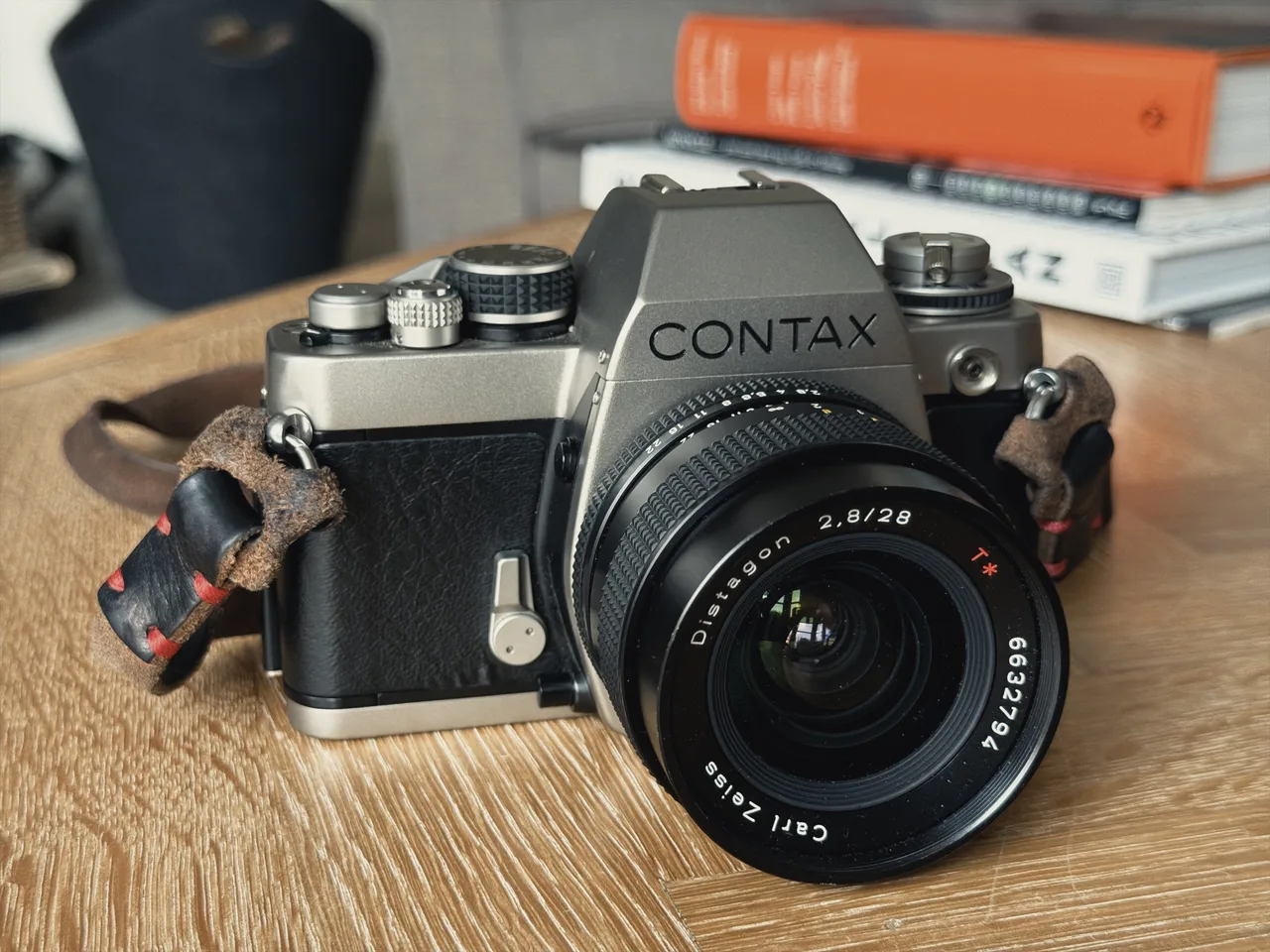
<p>Contax started out in 1932 as Zeiss Ikon’s German rival to Leica. In the 1970s Yashica licensed the name and started making Contax SLRs. In 1983, Kyocera took over Yashica, and took Contax with it. It’s essentially the posh brand sibling of Yashica (like Lexus is to Toyota, or Polestar to Volvo). In 1992, to mark the 60th anniversary of Contax, they introduced the S2 – a fully mechanical SLR made with a sand-blasted titanium body. It’s <em>fairly</em> lightweight, and it’s gorgeous to look at. To my eyes it’s an object of beauty! A complete stunner, SLR perfection. Look at it!</p>

<figure>
  <img src="/assets/images/blog/contax-s2/contax-s2-front.webp" width="1280" height="960" alt="A titanium Contax S2 on a wooden table, fitted with a Zeiss Distagon 28mm f2.8 and a leather strap" />
  <figcaption>The Contax S2 with the Distagon 28mm f2.8</figcaption>
</figure>

<h2 id="build-quality">Build quality</h2>

<p>The build quality is fantastic. I haven’t tried all the old classic SLRs but I can imagine it’s up there with the best of them. The top and bottom plates are natural titanium (it has a warmth to it), and it has leatherette covering the body.</p>

<p>The S2 feels really solid when you hold it. You can feel the quality, especially compared to the Yashica FX-D. It’s up there with a Leica in my opinion, for a lot less money (I found a mint one on eBay for £200, but typically they go for twice that).</p>

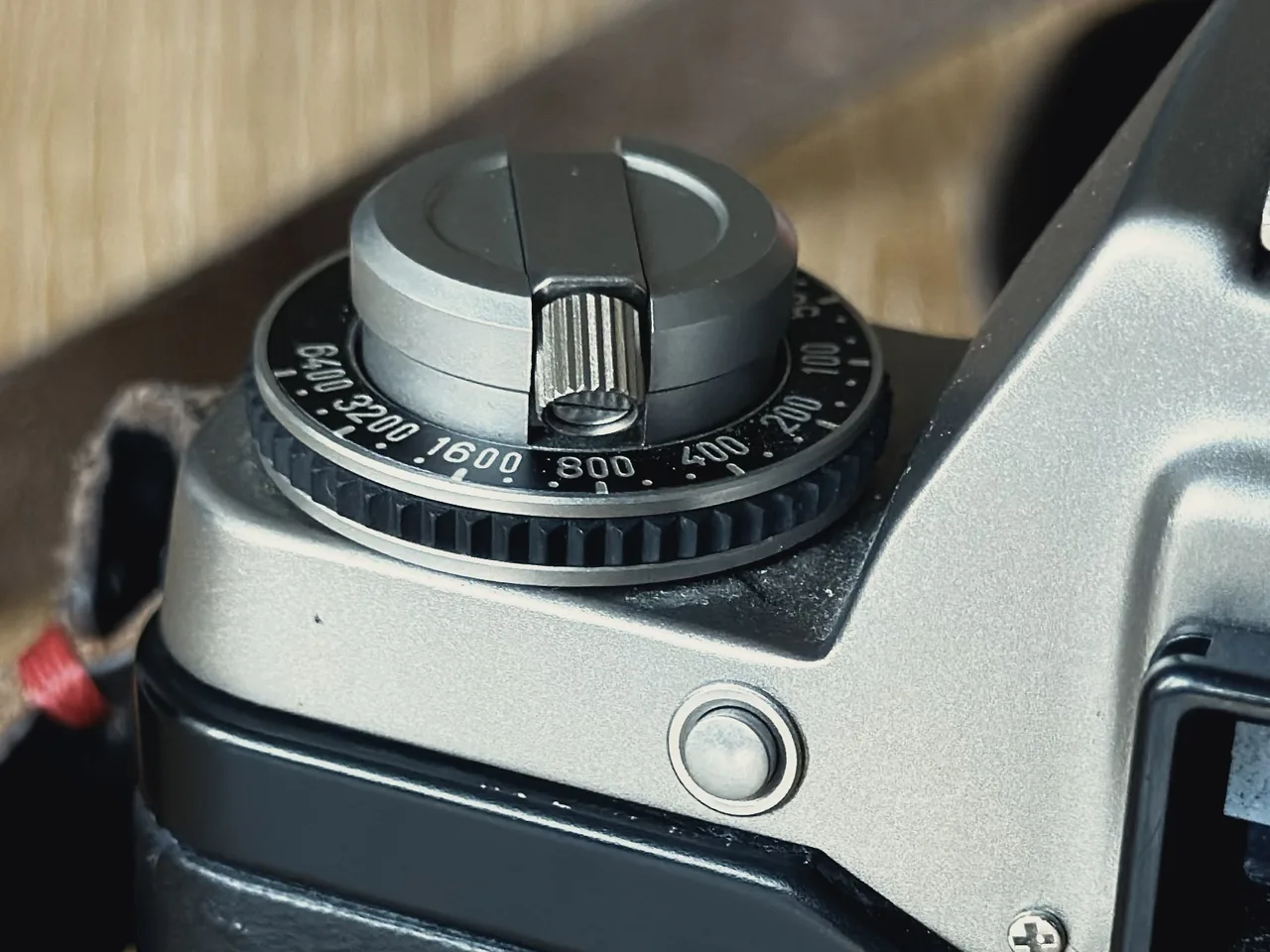
<p>The film advance lever is solid, and the shutter sound is phenomenal. By which I mean phenomenally loud! Some reviews say it’s <em>too</em> loud, but I don’t think that’s true. For sure if you’re trying to sneak a photo of someone in a quiet place you’re going to frighten the bejesus out of them, but maybe don’t try and sneak those photos? I’m a fan of a satisfying shutter thunk. It’s why I love the Leica M, and also why my heart sinks a little each time I take a shot on my leaf-shuttered Fujifilm X100VI. A silent shutter (or, worse, a <em>fake</em> shutter sound) brings me no joy. My X-T5 is a little better (it has a mechanical shutter), but <em>nothing</em> compares to the Contax S2. They don’t make them like this any more!</p>

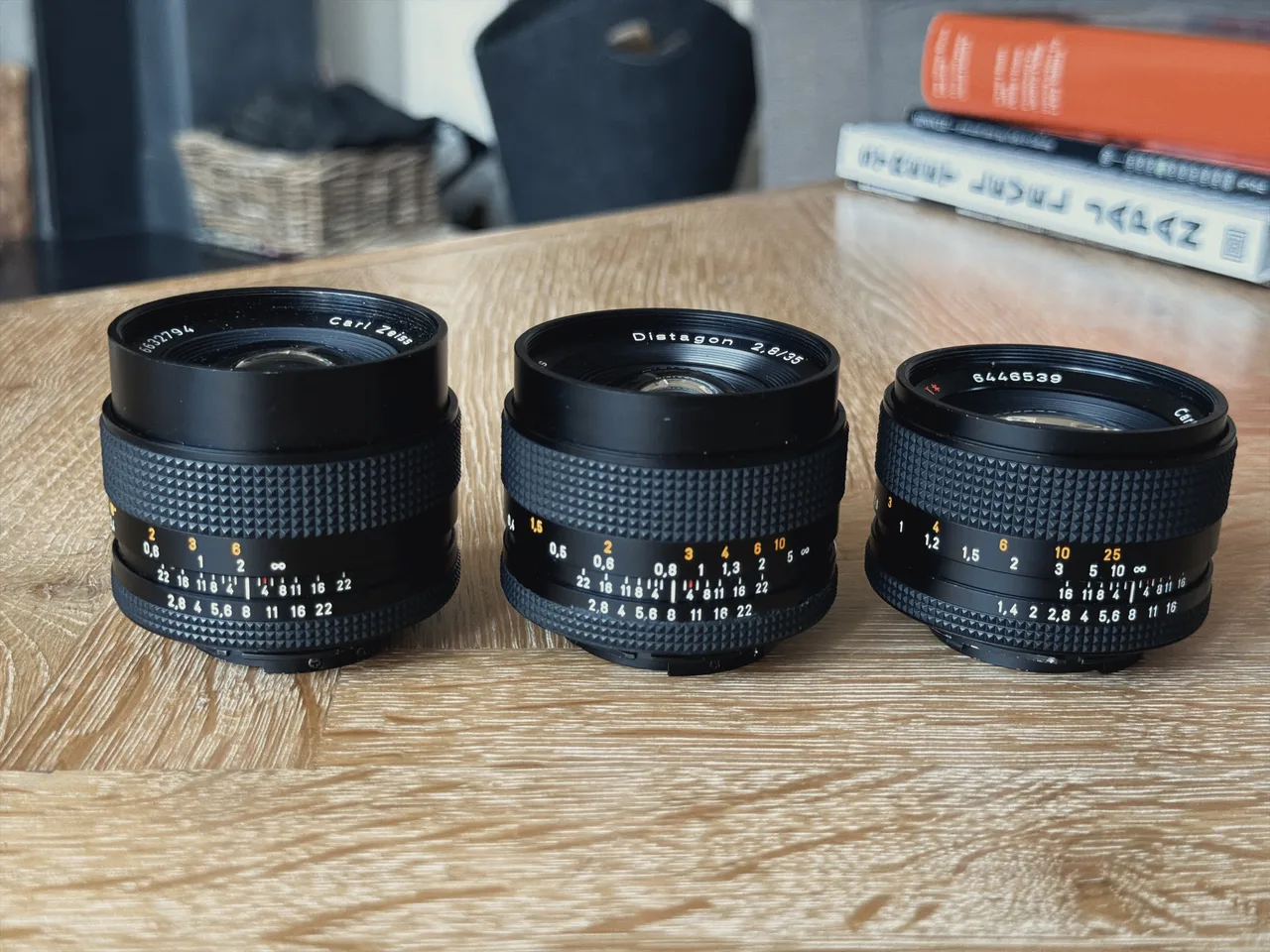
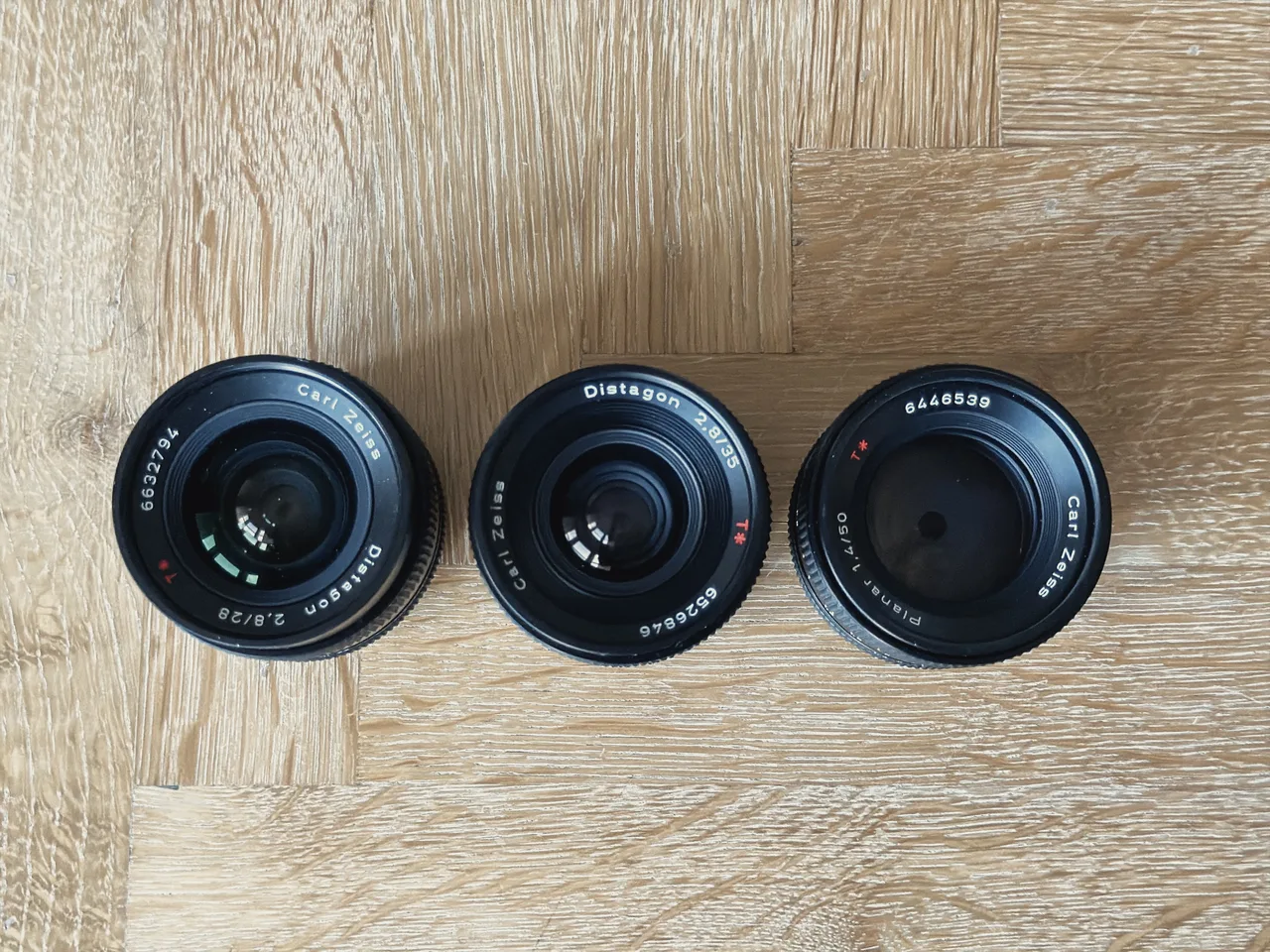
<p>Paired with a Zeiss lens (I’ve since acquired the Distagon 28mm and 35mm and the Planar 50mm f1.4 – the holy trinity), I think it’s literally perfect.</p>

<div class="grid grid-cols-1 md:grid-cols-2 gap-4">
<figure>
  <img src="/assets/images/blog/contax-s2/contax-s2-top.webp" width="1280" height="960" loading="lazy" alt="Top-down view of the Contax S2 showing the shutter speed dial, hot shoe and ISO dial, with a Zeiss lens fitted" />
  <figcaption>From above: shutter speed dial, hot shoe and ISO dial</figcaption>
</figure>
<figure>
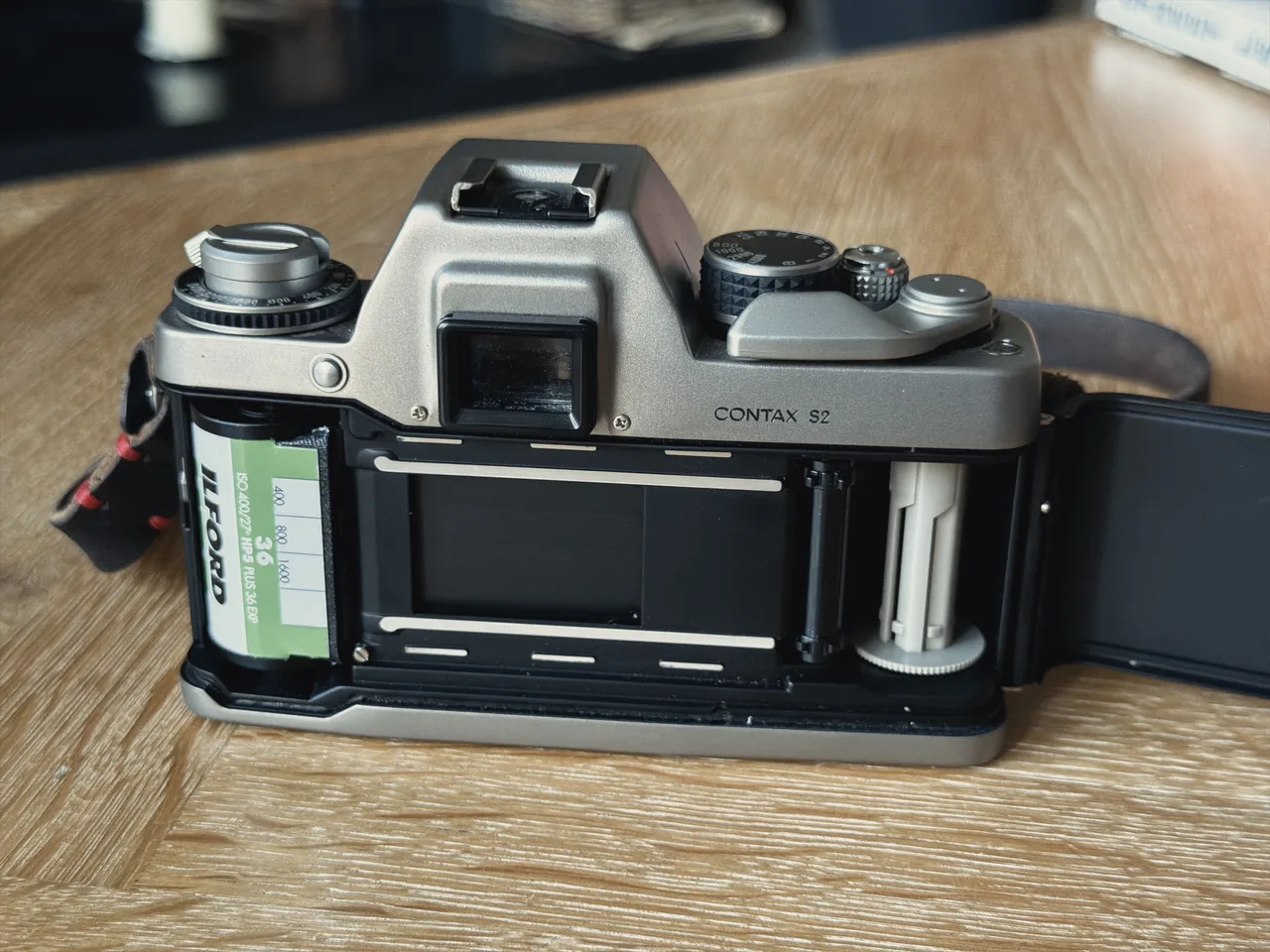
  <img src="/assets/images/blog/contax-s2/contax-s2-back.webp" width="1280" height="960" loading="lazy" alt="The back of the Contax S2, with the viewfinder eyepiece, film reminder window and titanium top plate" />
  <figcaption>The back, with a box-end reminder of the film loaded</figcaption>
</figure>
</div>

<p>The full specs are:</p>

<ul>
  <li>Material: Titanium top and bottom plates, leatherette body grip</li>
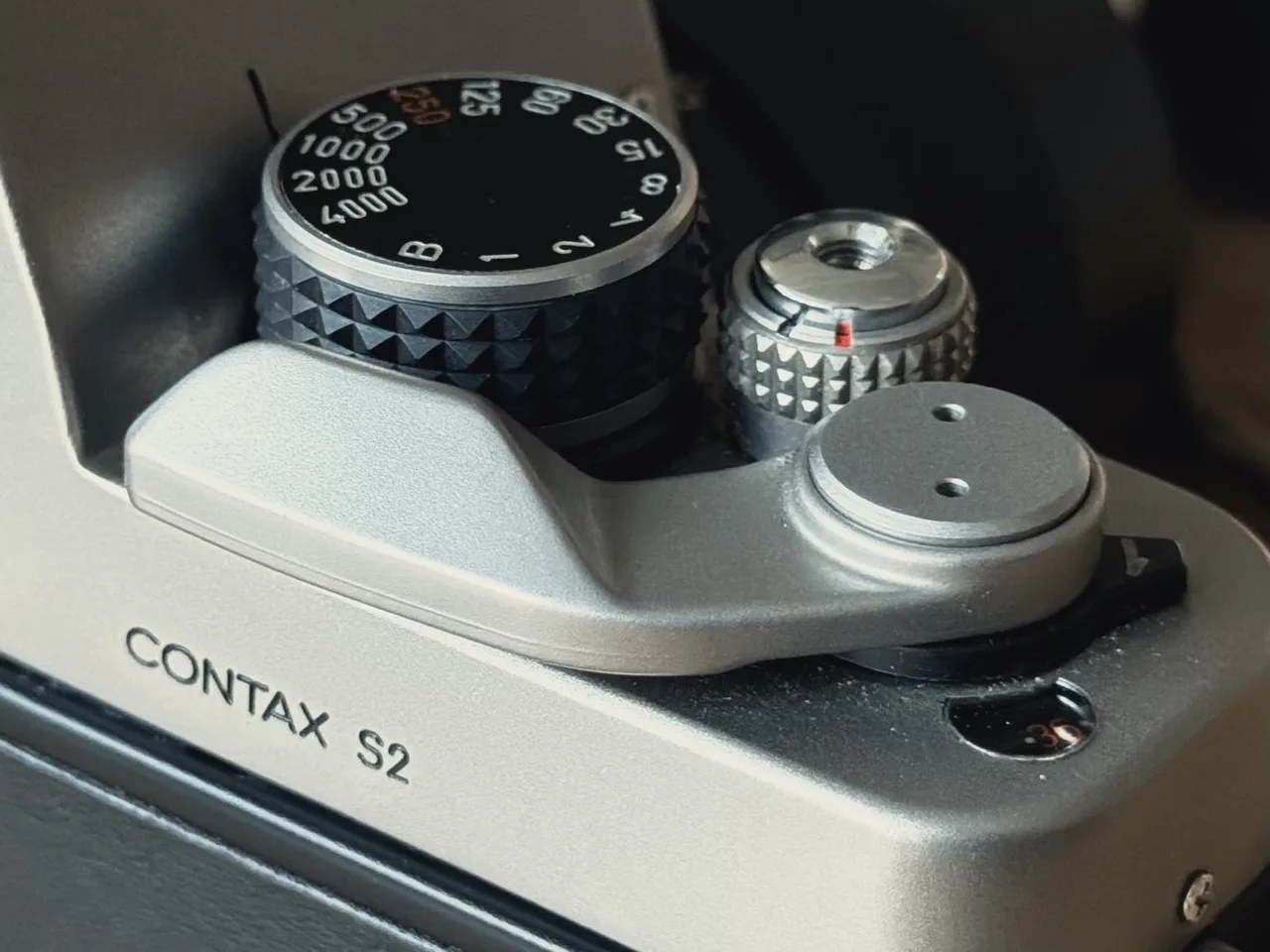
  <li>Shutter: Mechanical, vertical-travel focal-plane shutter, 1s to 1/4000s plus bulb</li>
  <li>Flash sync: 1/250s</li>
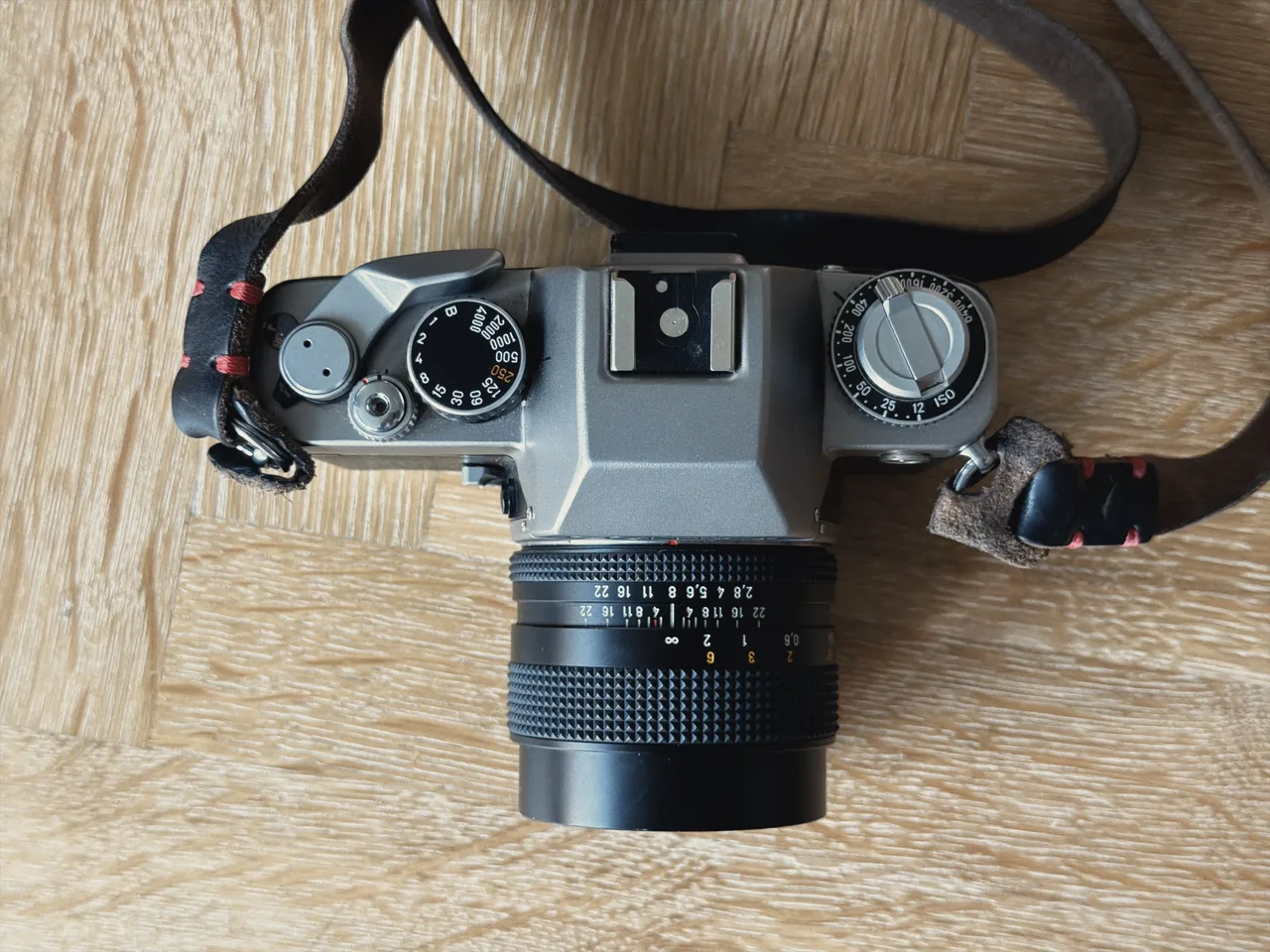
  <li>Meter: 5mm spot meter, EV 4 to 20, powered by LR44 batteries. The batteries only power the meter, so the camera works fine without them</li>
  <li>ISO range: 12 to 6400</li>
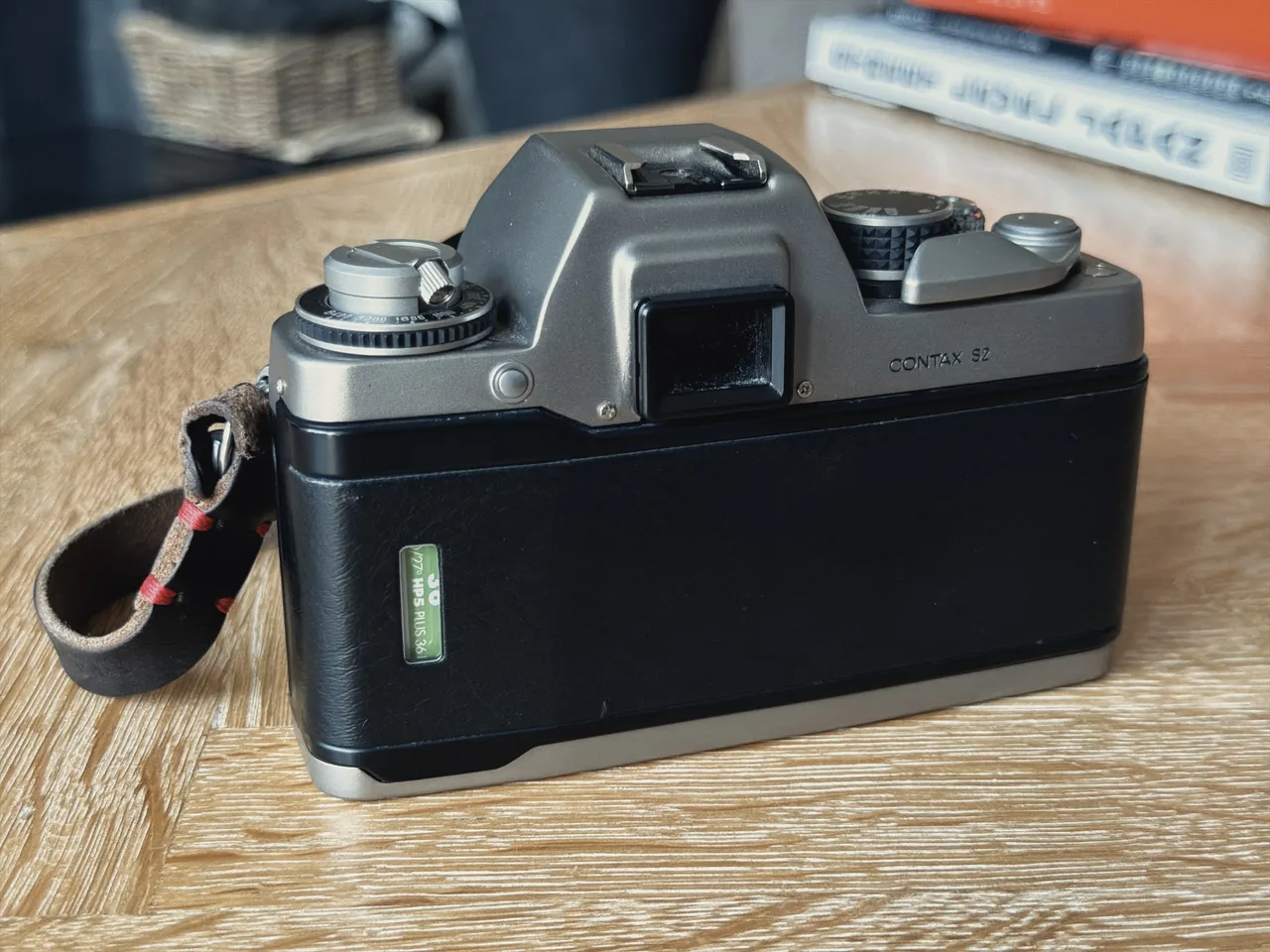
  <li>0.82x magnification viewfinder with 95% coverage</li>
  <li>Weight: 565g (a Leica M6 is 585g for comparison)</li>
  <li>Handy switch for preventing the shutter being accidentally pressed</li>
  <li>Depth-of-field preview button</li>
  <li>Self timer lever</li>
  <li>Double exposure lever</li>
</ul>

<h2 id="metering">Metering</h2>

<p>While doing my research, the metering was the one thing holding me back. The S2 has a <a href="https://en.wikipedia.org/wiki/Metering_mode">spot meter</a> which is sophisticated, but also a complete nightmare. If you’re a savant you’ll be able to spot meter middle grey in your pictures and “do the maths” to figure out the perfect exposure, but for the meatheads among us, this is quite hard and probably beyond us.</p>

<p>I do like a challenge though, so with a combination of <a href="https://apps.apple.com/gb/app/lightme-lightmeter/id1509033790">LightMe</a> on my iPhone and the <a href="https://en.wikipedia.org/wiki/Sunny_16_rule">sunny 16</a> rule, I’ve found you can actually get by without really having to think too hard about it. The point of a mechanical camera is to really do it all yourself, right? It’s something that can become much more intuitive with time, and I’ve found that I’m getting pretty good at just looking at the light around me and guesstimating the exposure I need for a given f-stop (at least with 400 ISO film!).</p>

<p>The meter readout in the viewfinder is a column of shutter speeds down the right-hand side, lit by LEDs. The speed you’ve <em>set</em> on the dial flashes, while the speed the meter <em>recommends</em> stays solid. It would be more intuitive the other way round to be honest, but you get used to it.</p>

<p>I’ve since invested in a fancy <a href="https://global.sekonic.com/sekonic-l-308x-flashmate-light-meter/">Sekonic Flashmate L-308X</a>, but to be honest for your average street shots this is overkill. LightMe will be just fine. For portraits though, the Sekonic is the business.</p>

<p>It’s worth noting that Contax released a successor, the <a href="https://www.japancamerahunter.com/2023/01/camera-geekery-contax-s2b/">S2b</a>, in 1994 which had <em>centre-weighted</em> metering to please us mere mortals. This is arguably the better model to get, but to be honest it doesn’t look nearly as good with its boring dark grey finish (not natural titanium), plus it’s at least 2-3x the price of the S2.</p>

<figure>
  <img src="/assets/images/blog/contax-s2/contax-s2-shutter-dial.webp" width="1280" height="960" loading="lazy" alt="Close-up of the S2's shutter speed dial, with 1/250 marked in orange, beside the shutter button and film advance lever" />
  <figcaption>The shutter speed dial, with the 1/250s flash sync marked in orange</figcaption>
</figure>

<h2 id="shooting-experience">Shooting experience</h2>

<p>If you’ve used a film SLR, you kinda know what you’re getting. The S2 uses a <a href="https://camera-wiki.org/wiki/Split_prism">split-image</a> focusing screen, which I quite like because it’s the same as the Yashica FX-D and I’m used to it. I’m not sure if it’s easier or harder to use than other types of focus aid, but I find it comparable to using a rangefinder (maybe a bit easier?).</p>

<p>The viewfinder is really large as well, more so than the FX-D, so it’s a really immersive experience to look through.</p>

<p>The ISO dial is fairly standard, as is the rewind crank. The shutter speed dial is solid and satisfying to use. You’re not going to accidentally knock it. And the metal film advance lever is very satisfying too. There’s a switch next to the shutter button that you can turn to lock the shutter and prevent it from being accidentally pressed, which is handy.</p>

<div class="grid grid-cols-1 md:grid-cols-2 gap-4">
<figure>
  <img src="/assets/images/blog/contax-s2/contax-s2-iso-dial.webp" width="1280" height="960" loading="lazy" alt="Close-up of the S2's ISO dial, set to 400, under the rewind crank" />
  <figcaption>The ISO dial, from 12 up to 6400</figcaption>
</figure>
<figure>
  <img src="/assets/images/blog/contax-s2/contax-s2-film-loaded.webp" width="1280" height="960" loading="lazy" alt="The Contax S2 with its back open, loaded with a roll of Ilford HP5 Plus" />
  <figcaption>Loaded with Ilford HP5 Plus</figcaption>
</figure>
</div>

<h2 id="lenses">Lenses</h2>

<p>A quick note about the lenses I use which I mentioned above. These are the Zeiss Distagon 28mm and 35mm f2.8 and the Planar 50mm f1.4. They’re amazing and I love them. The focusing is smooth, the aperture ring has a nice click to it, and the zone focusing is perfect. Who needs Leica?</p>

<div class="grid grid-cols-1 md:grid-cols-2 gap-4">
<figure>
  <img src="/assets/images/blog/contax-s2/contax-zeiss-lenses.webp" width="1280" height="960" loading="lazy" alt="Three Zeiss lenses side by side on a table: the Distagon 28mm f2.8, Distagon 35mm f2.8 and Planar 50mm f1.4" />
  <figcaption>The Distagon 28mm, Distagon 35mm and Planar 50mm</figcaption>
</figure>
<figure>
  <img src="/assets/images/blog/contax-s2/contax-zeiss-lenses-front.webp" width="1280" height="960" loading="lazy" alt="The same three Zeiss lenses from above, showing their front elements and names" />
  <figcaption>The holy trinity</figcaption>
</figure>
</div>

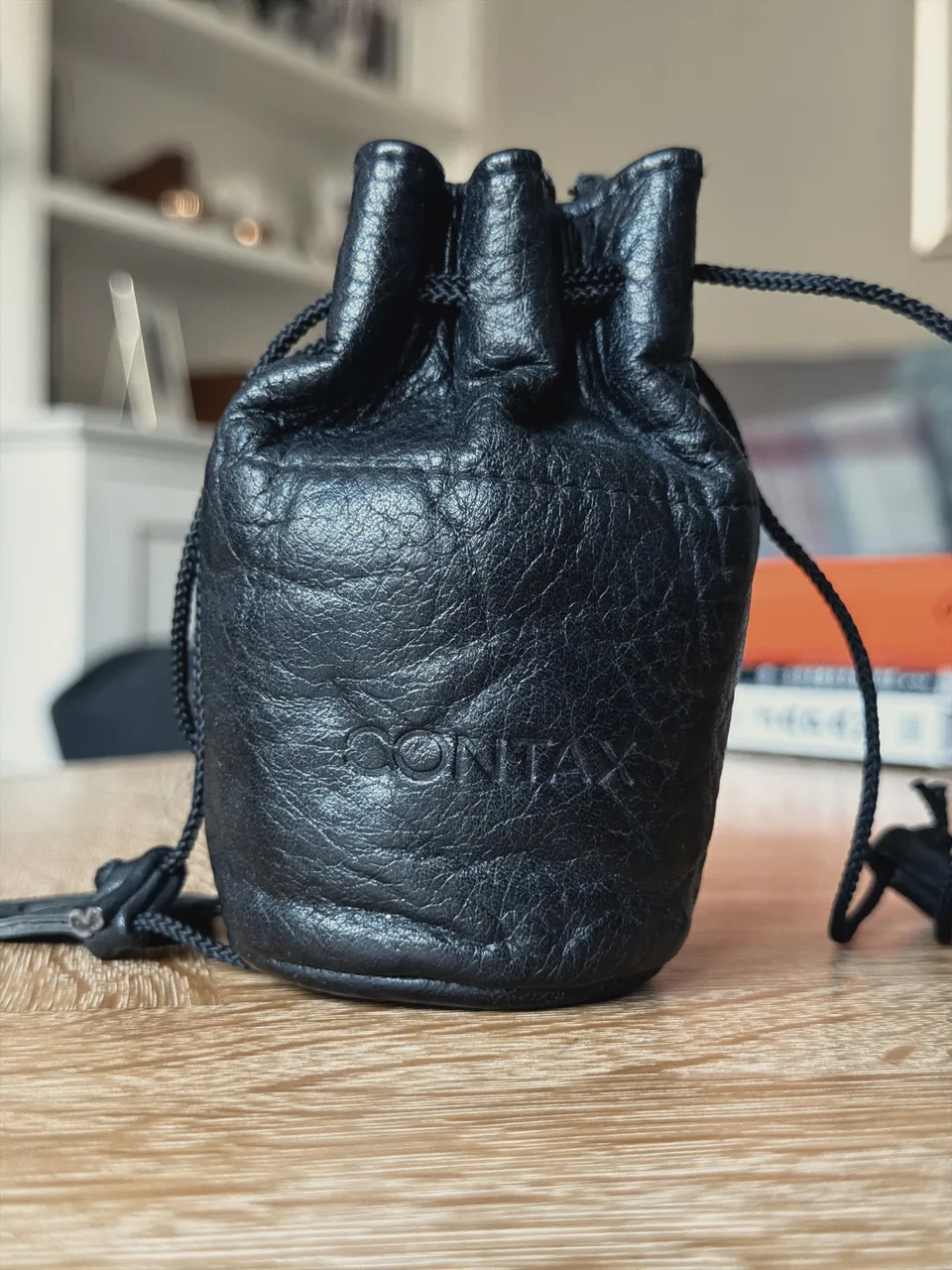
<p>Also, if you hunt around eBay you can get these original leather Contax lens cases which look fantastic. I’ve bought three of these to store my lenses.</p>

<figure class="md:w-1/2 md:mx-auto">
  <img src="/assets/images/blog/contax-s2/contax-lens-case.webp" width="960" height="1280" loading="lazy" alt="A black leather drawstring lens pouch embossed with the Contax logo" />
  <figcaption>An original Contax leather lens case</figcaption>
</figure>

<h2 id="conclusion">Conclusion</h2>

<p>At the end of the day, a film camera is only really as good as the lens stuck on it and the film inside it. Put the same lens and film in my Yashica FX-D and it’ll take the same picture as the S2! There are some additional benefits with the S2, such as the 1/4000s max shutter speed and the 1/250s flash sync, but the primary reason for getting it over the FX-D (for me, at least) is the build quality, and the way it feels.</p>

<p>Other than the spot metering, there are no real downsides, if the spot metering is actually a downside. Despite my initial reservations, the more I use it, the more I get used to it. I still don’t quite trust myself to rely on it entirely, so I’m sticking with a light meter which is fine by me. The other thing to know is that it’s manual exposure only: there’s no aperture priority or any other auto mode, so you’re setting everything yourself.</p>

<p>The Contax S2 is a wonderful camera that oozes quality and style, and there’s a cracking range of lenses available. I’d recommend it to anyone interested in getting a film SLR.</p>

<h2 id="sample-photos">Sample photos</h2>

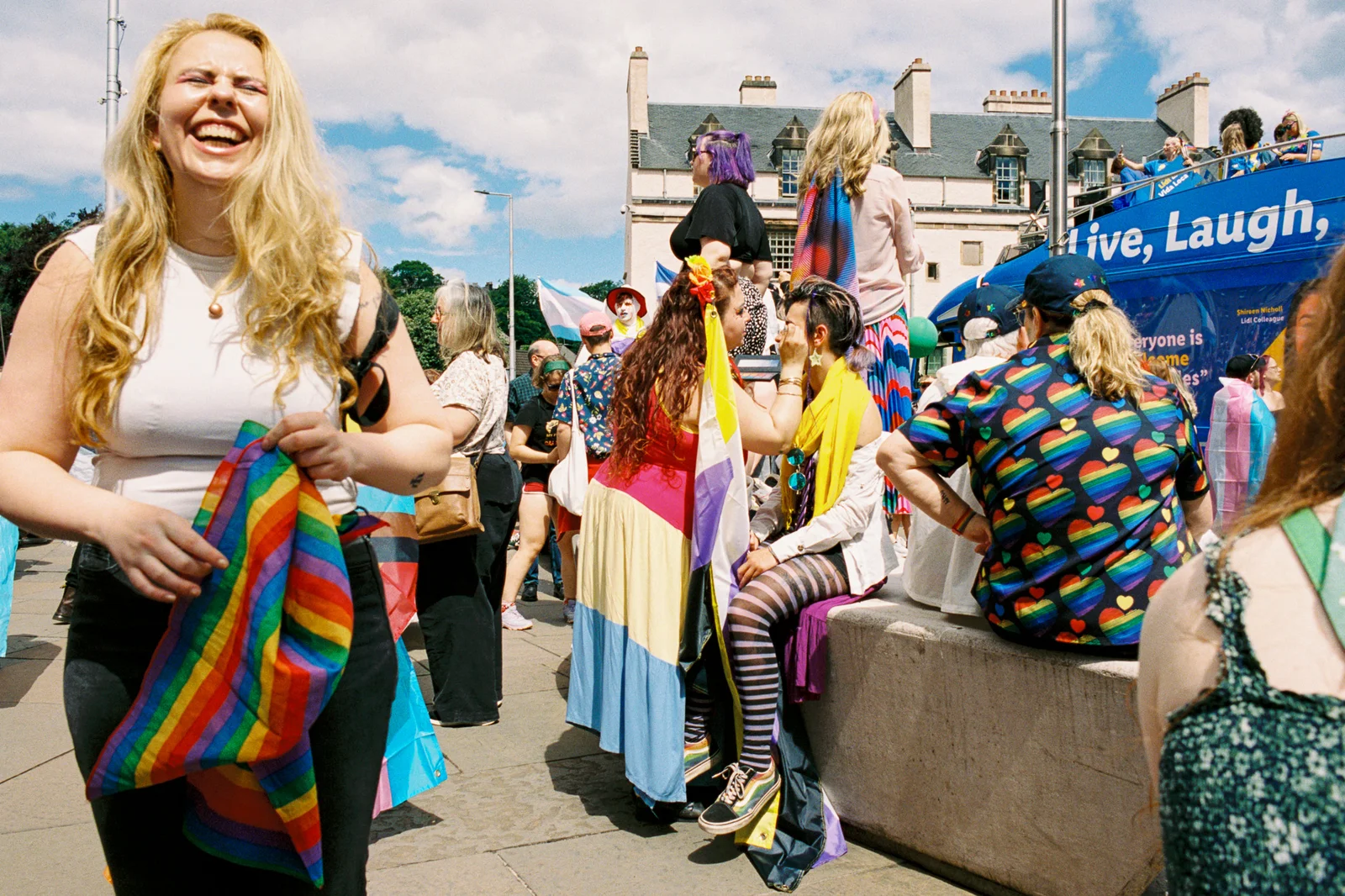
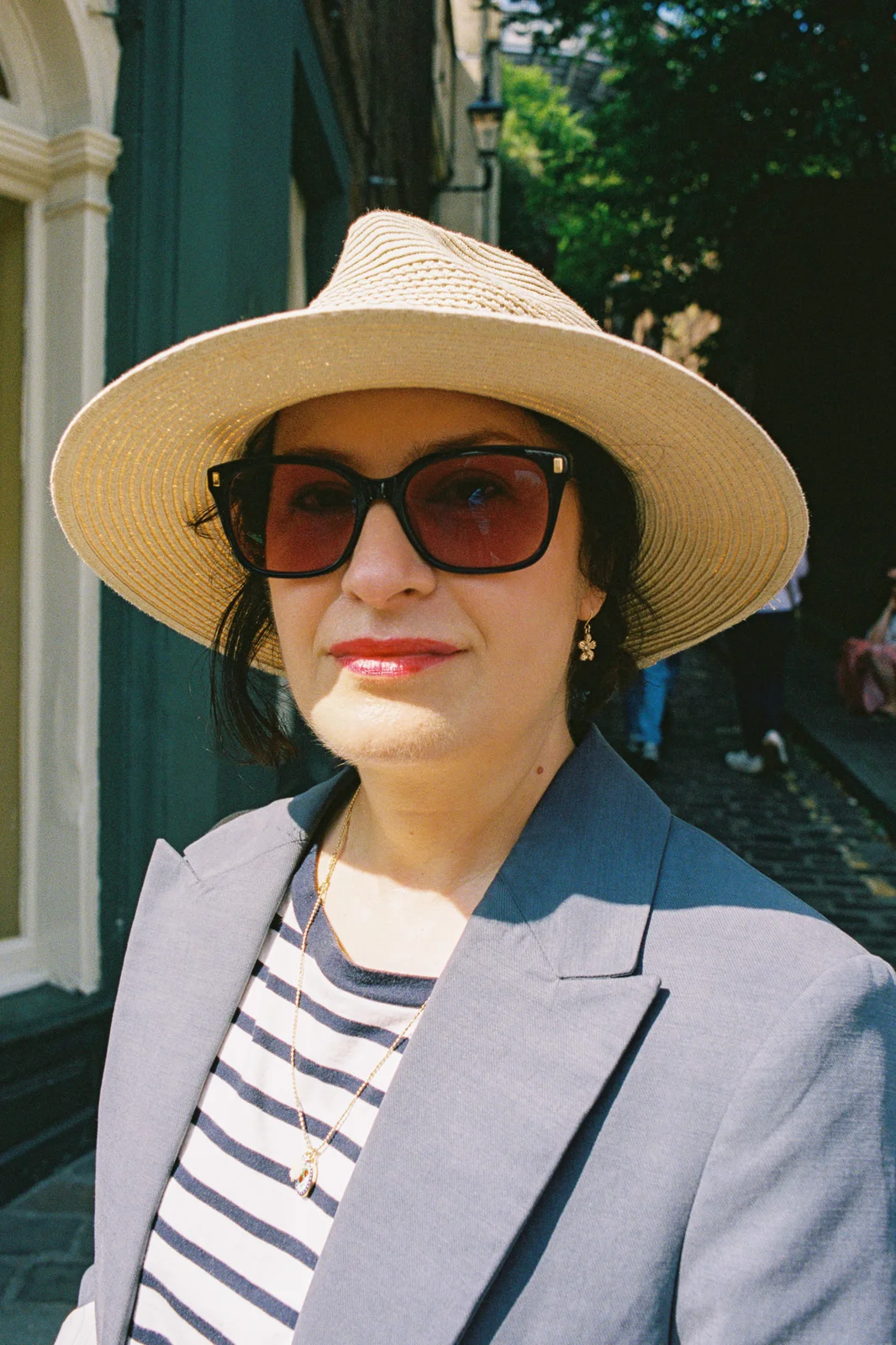
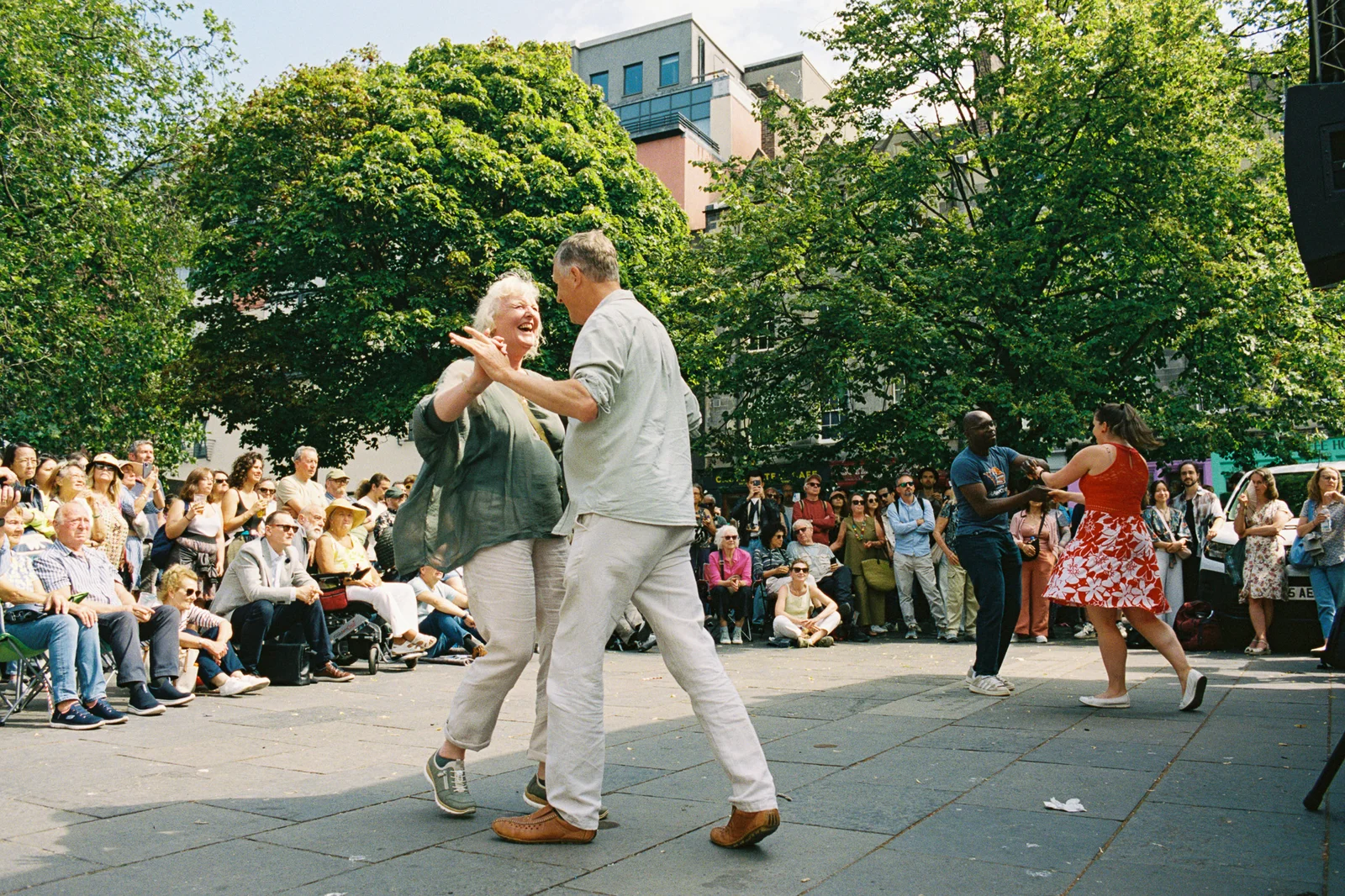
<p>Here are some photos I’ve taken over the past few months, along with the film stocks used for the nerds. Let me know what you think!</p>

<figure>
  <img src="/assets/images/blog/contax-s2/samples/01-pride-crowd.webp" width="1600" height="1066" loading="lazy" alt="A laughing woman holding a rainbow flag in a crowd at a Pride event" />
  <figcaption>Kodak Portra 400, 28mm</figcaption>
</figure>

<div class="grid grid-cols-1 md:grid-cols-2 gap-4">
<figure>
  <img src="/assets/images/blog/contax-s2/samples/02-pride-suit.webp" width="1066" height="1600" loading="lazy" alt="A man in sunglasses and a multicoloured polka dot suit holding a cigarette" />
  <figcaption>Kodak Portra 400, 28mm</figcaption>
</figure>
<figure>
  <img src="/assets/images/blog/contax-s2/samples/03-straw-hat.webp" width="1066" height="1600" loading="lazy" alt="A woman in a straw hat, red-tinted sunglasses and a grey blazer on a cobbled street" />
  <figcaption>Kodak Portra 400, 28mm</figcaption>
</figure>
</div>

<figure>
  <img src="/assets/images/blog/contax-s2/samples/04-dancing.webp" width="1600" height="1066" loading="lazy" alt="Two couples dancing in a city square in front of a seated crowd" />
  <figcaption>Kodak Portra 400, 28mm</figcaption>
</figure>

<figure>
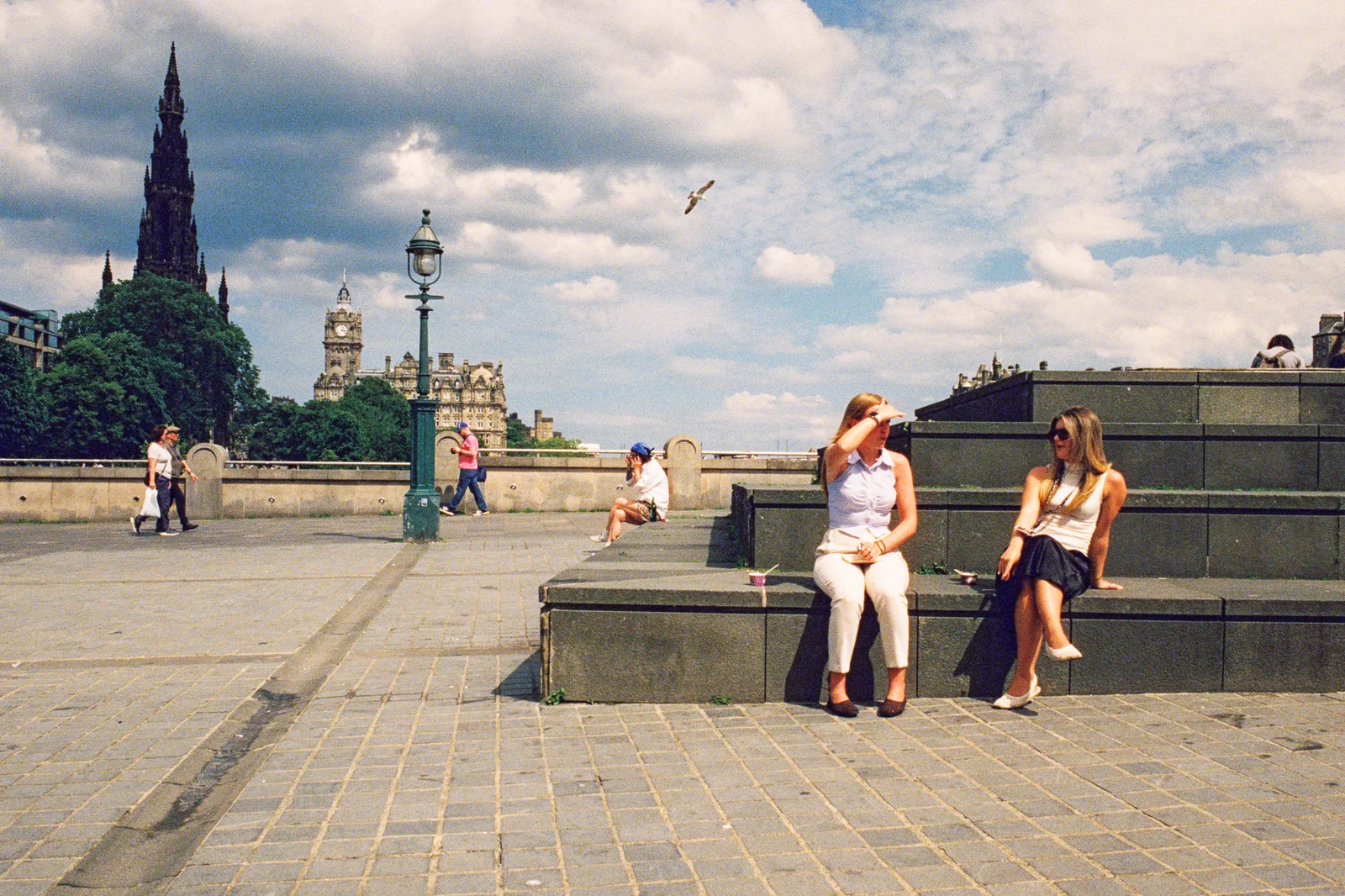
  <img src="/assets/images/blog/contax-s2/samples/05-princes-street-steps.webp" width="1600" height="1066" loading="lazy" alt="Two women sitting on stone steps in the sun, with the Scott Monument and Balmoral clock tower behind" />
  <figcaption>CineStill 800T with a warming filter, 28mm</figcaption>
</figure>

<figure>
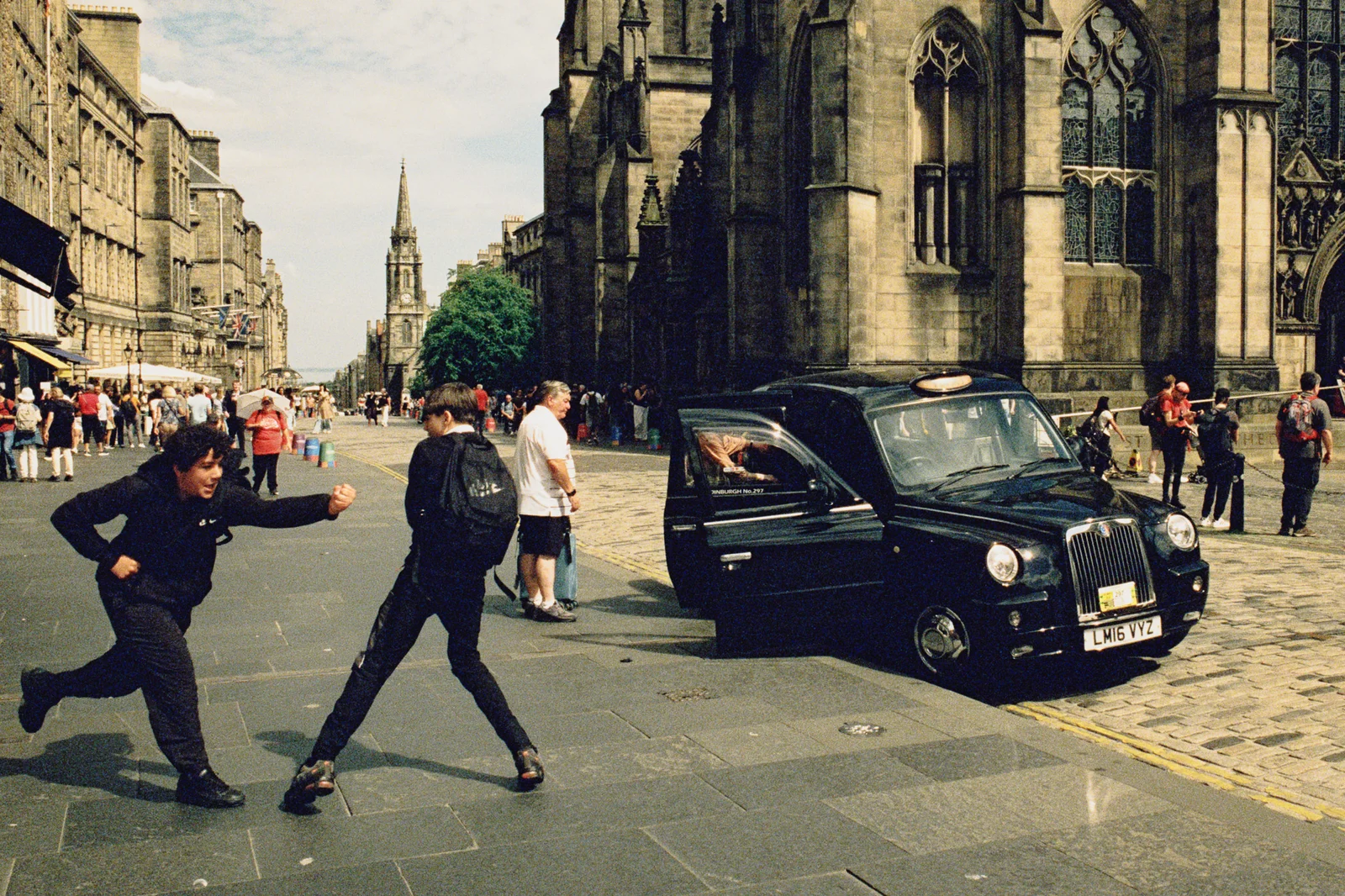
  <img src="/assets/images/blog/contax-s2/samples/06-royal-mile-taxi.webp" width="1600" height="1066" loading="lazy" alt="Two teenagers mid-stride beside a black cab outside St Giles' Cathedral" />
  <figcaption>CineStill 800T with a warming filter, 28mm</figcaption>
</figure>

<figure>
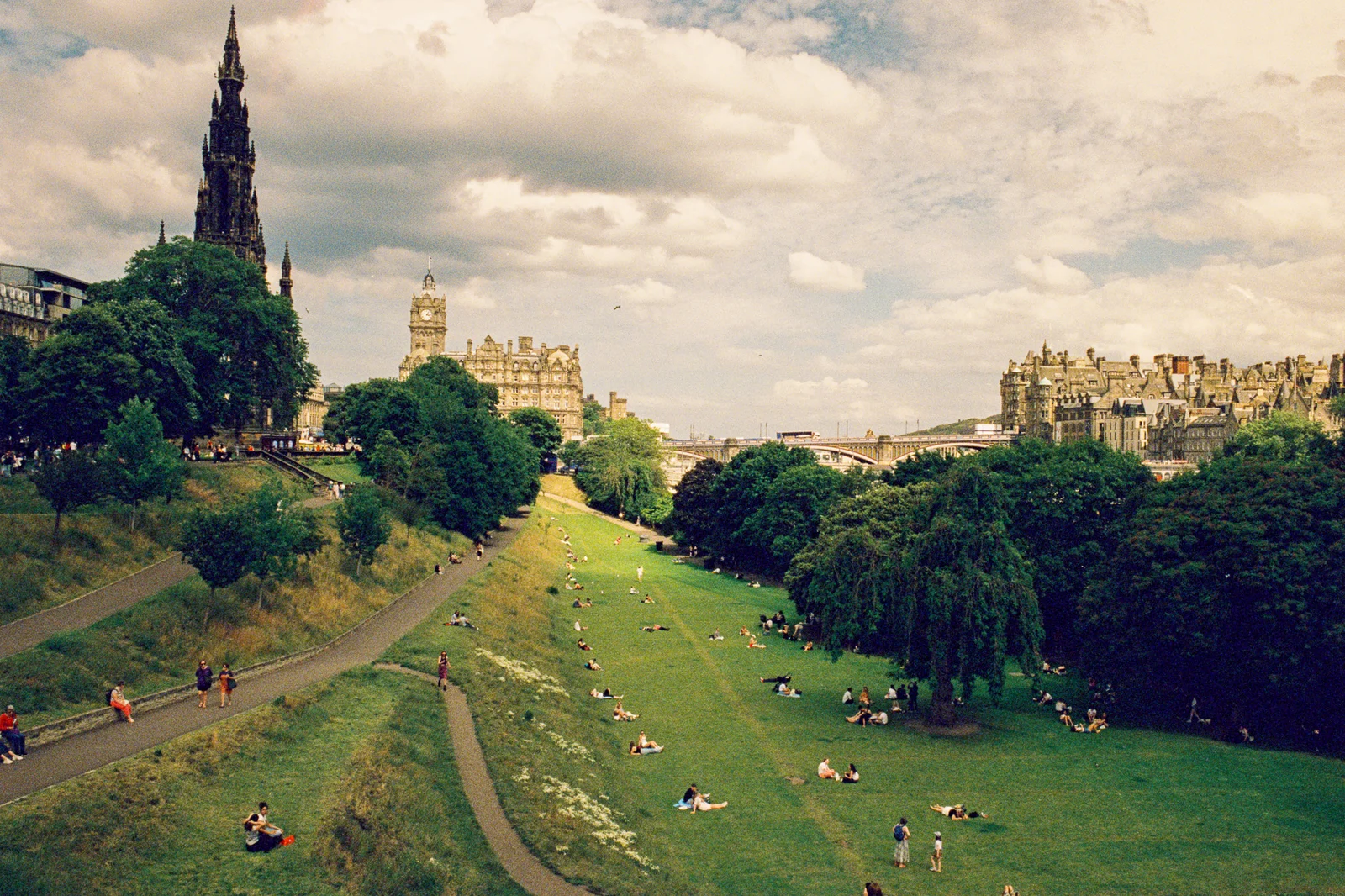
  <img src="/assets/images/blog/contax-s2/samples/07-princes-street-gardens.webp" width="1600" height="1066" loading="lazy" alt="People lying on the grass in Princes Street Gardens under a cloudy sky, with the Scott Monument on the left" />
  <figcaption>CineStill 800T with a warming filter, 28mm</figcaption>
</figure>

<figure>
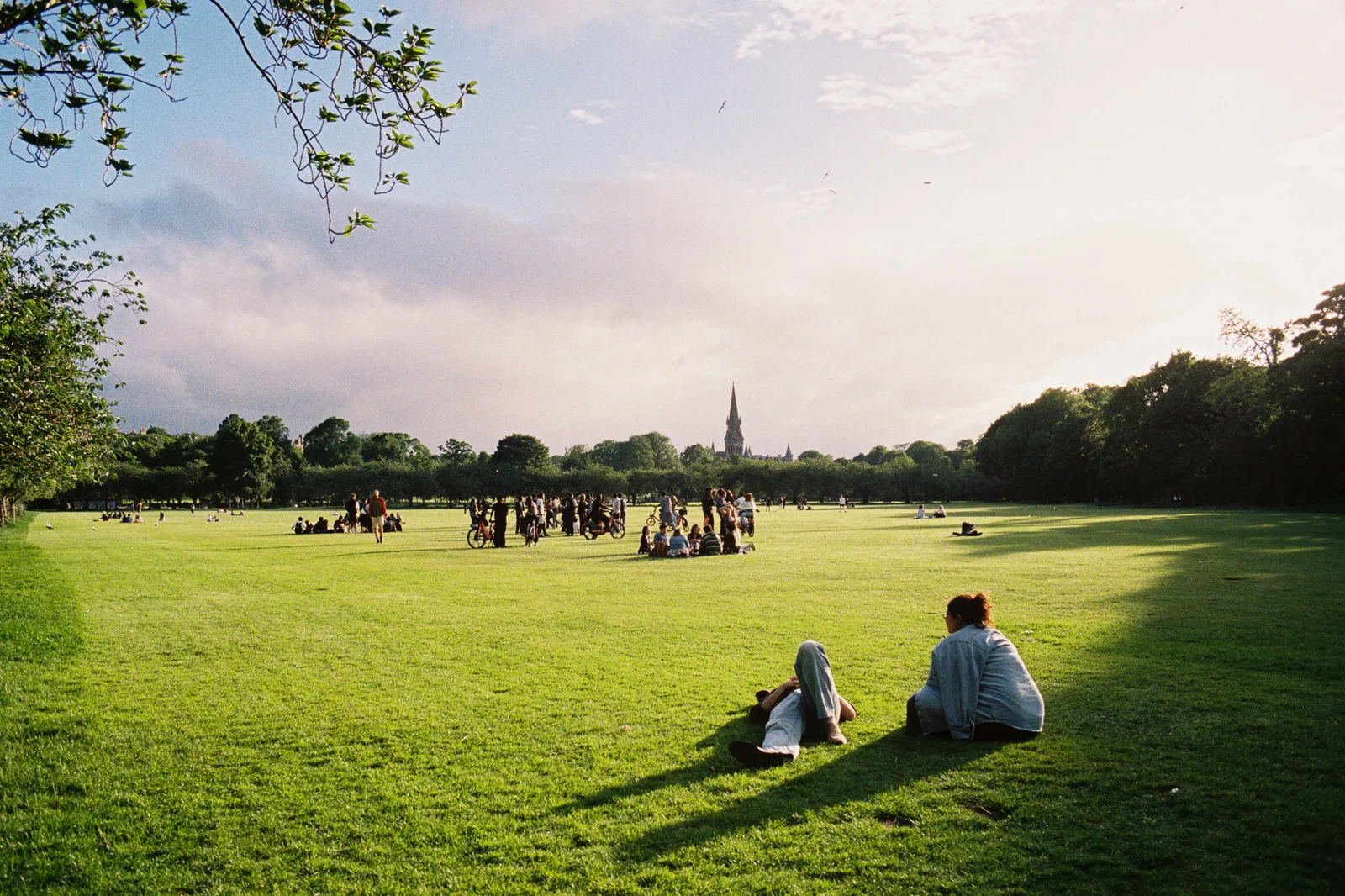
  <img src="/assets/images/blog/contax-s2/samples/08-park-evening.webp" width="1600" height="1066" loading="lazy" alt="Two people lying on the grass in a park in low evening light, with groups gathered in the distance" />
  <figcaption>Kodak Portra 400, 28mm</figcaption>
</figure>

<figure>
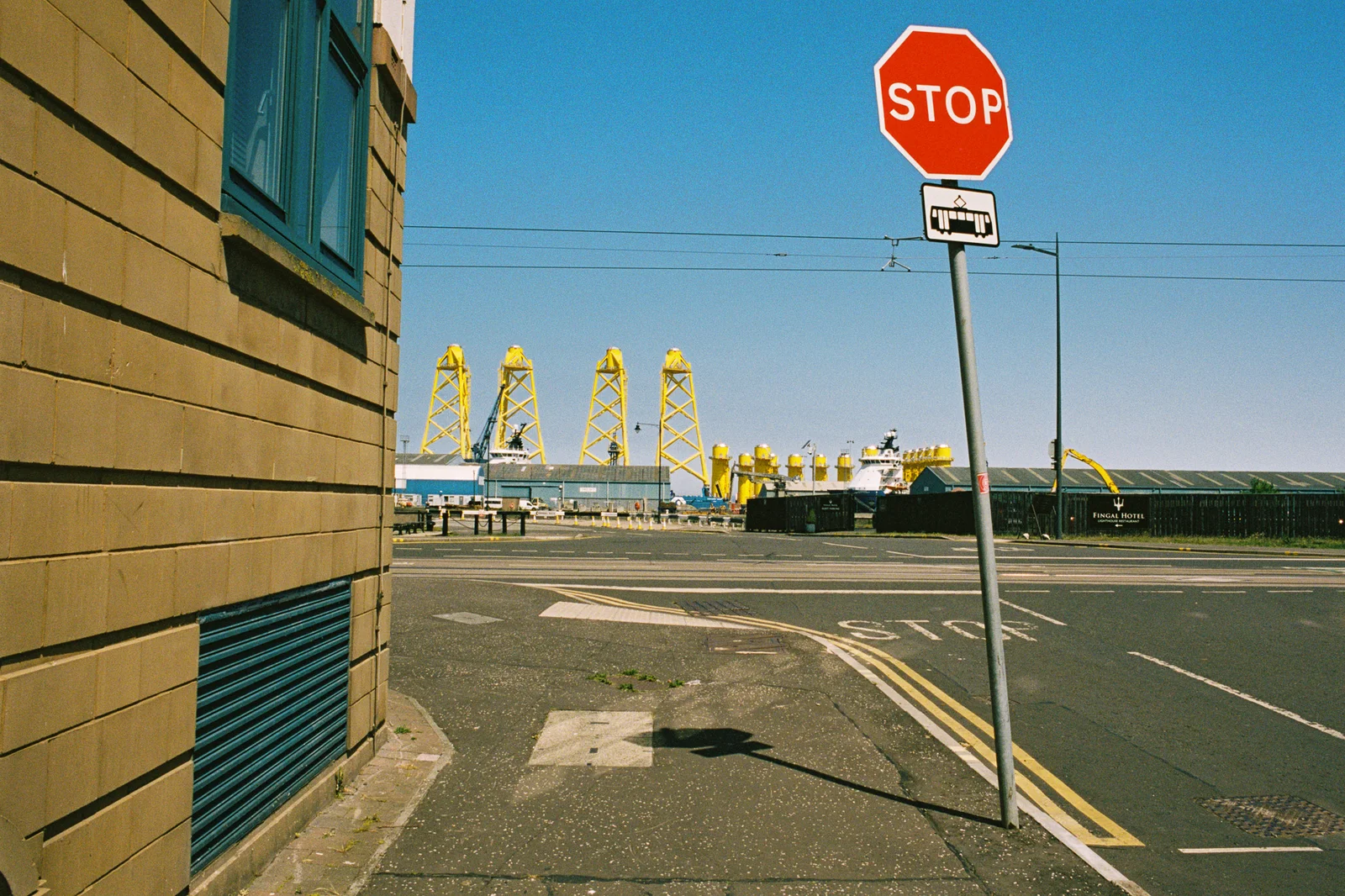
  <img src="/assets/images/blog/contax-s2/samples/09-stop-sign.webp" width="1600" height="1066" loading="lazy" alt="A stop sign on an empty street corner under a blue sky, with yellow industrial structures behind" />
  <figcaption>Fujifilm 400, 28mm</figcaption>
</figure>

<figure>
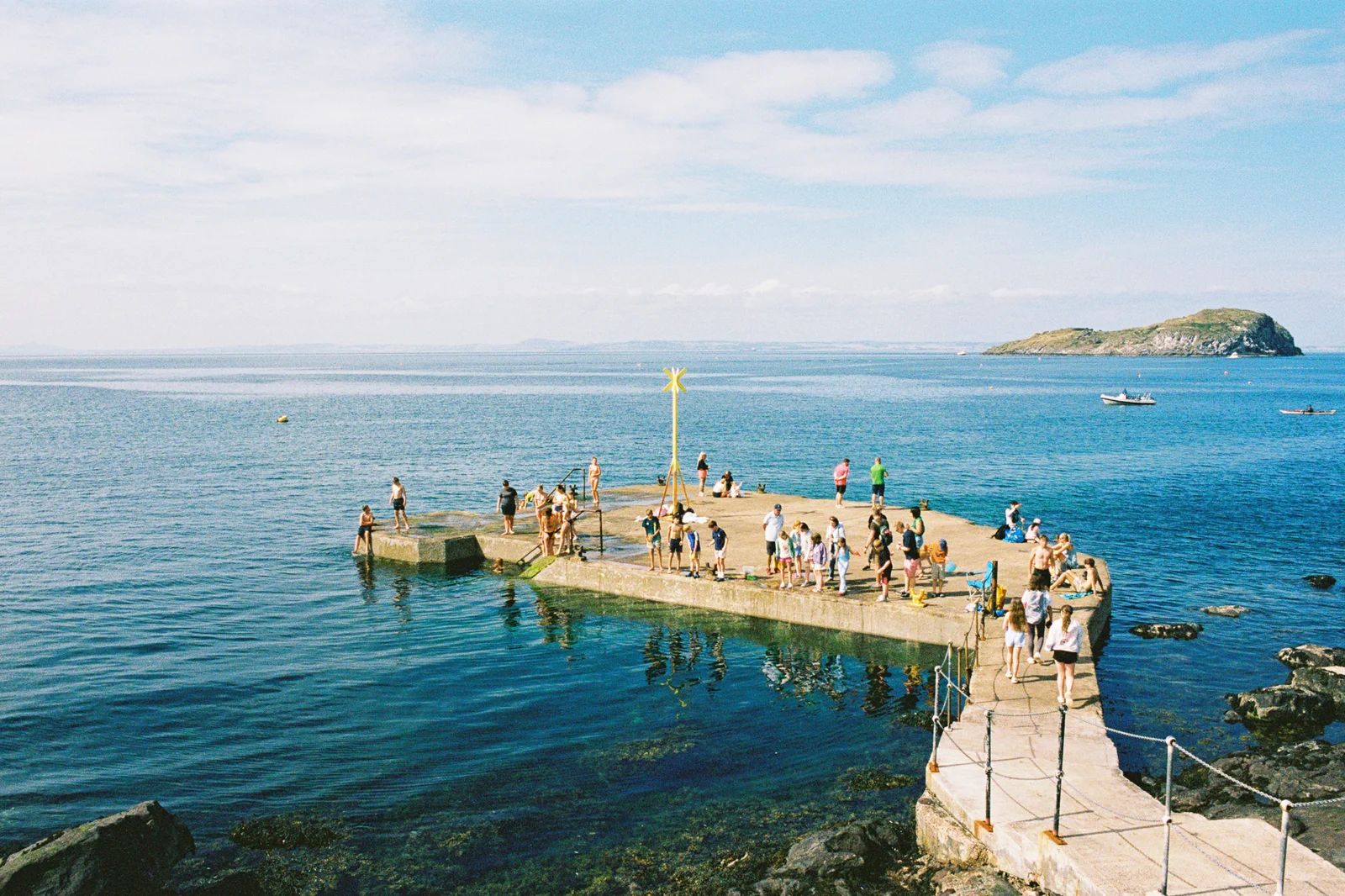
  <img src="/assets/images/blog/contax-s2/samples/10-pier.webp" width="1600" height="1066" loading="lazy" alt="Swimmers and sunbathers on a concrete pier jutting into a calm blue sea, with an island on the horizon" />
  <figcaption>Kodak Portra 400, 28mm</figcaption>
</figure>

<figure class="md:w-1/2 md:mx-auto">
  <img src="/assets/images/blog/contax-s2/samples/11-soldier.webp" width="1066" height="1600" loading="lazy" alt="A man dressed as a First World War soldier in helmet and uniform, smiling on a busy cobbled street" />
  <figcaption>Kodak Portra 400, 28mm</figcaption>
</figure>

<figure>
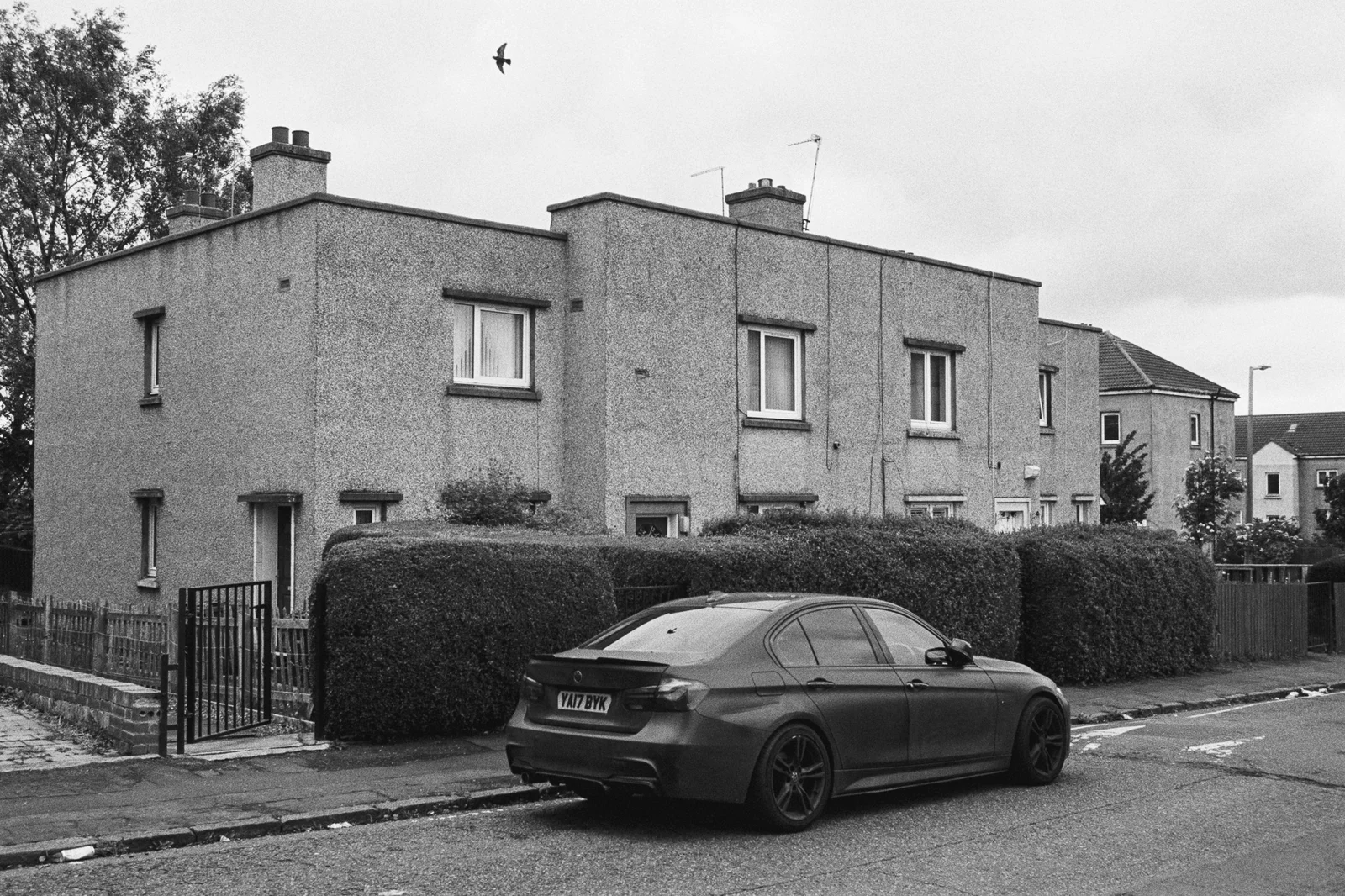
  <img src="/assets/images/blog/contax-s2/samples/12-houses.webp" width="1600" height="1066" loading="lazy" alt="A dark saloon car parked outside a row of pebble-dashed houses behind a hedge, a bird flying overhead" />
  <figcaption>Kodak Tri-X 400, 35mm</figcaption>
</figure>

<figure>
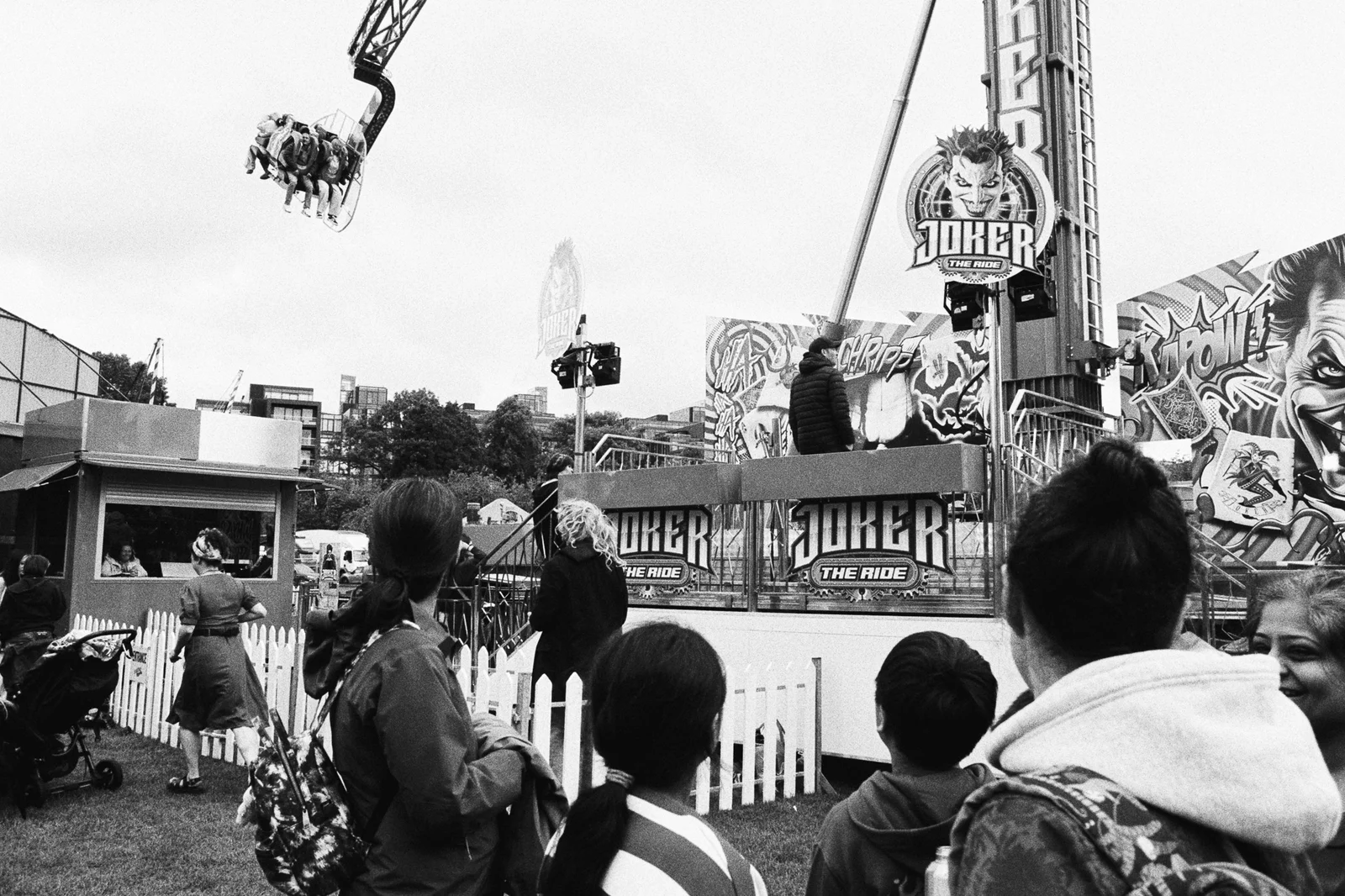
  <img src="/assets/images/blog/contax-s2/samples/13-fairground.webp" width="1600" height="1066" loading="lazy" alt="A crowd watching a fairground ride swing riders high into the air" />
  <figcaption>Ilford HP5 Plus, 28mm</figcaption>
</figure>

<figure>
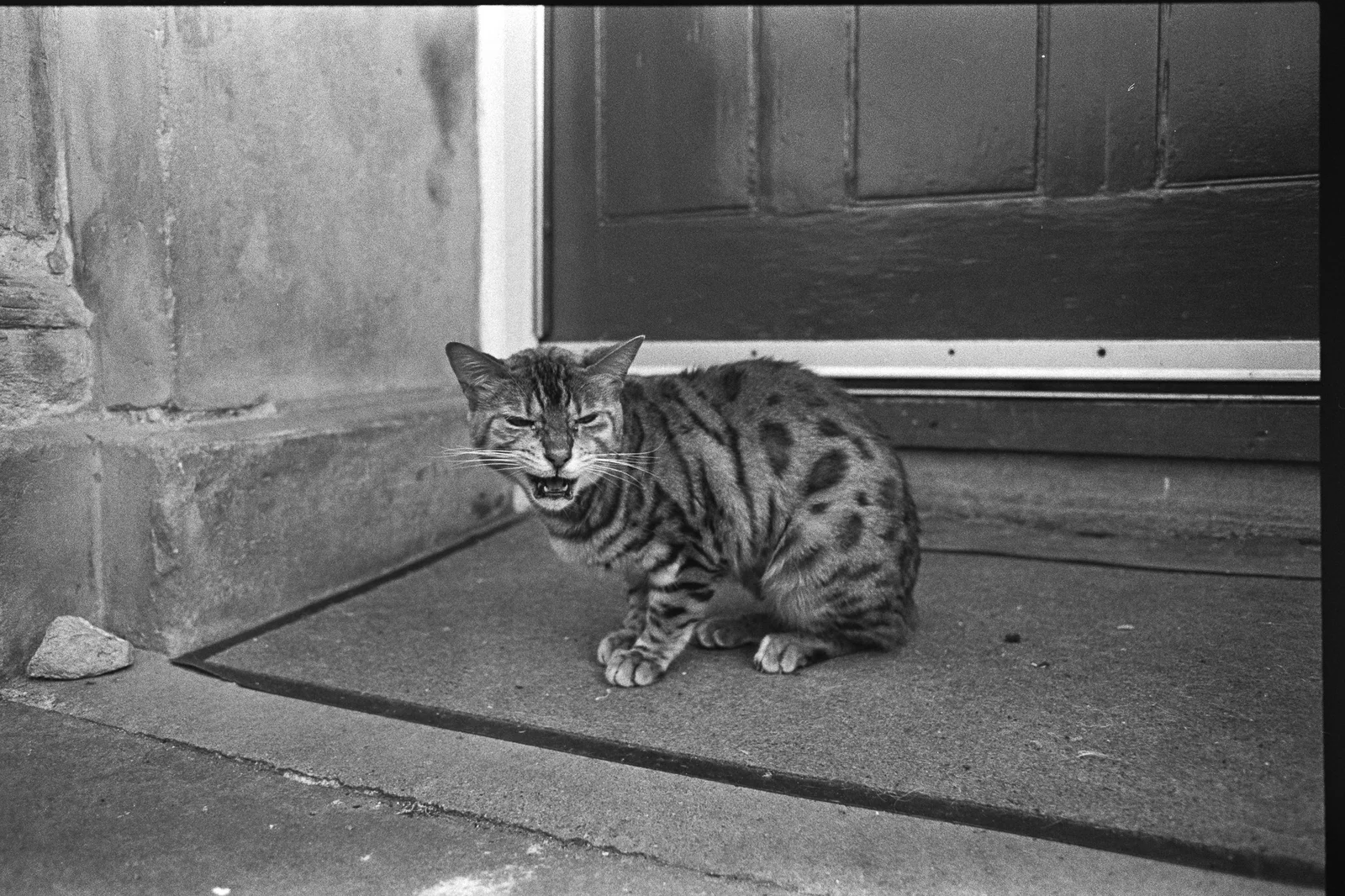
  <img src="/assets/images/blog/contax-s2/samples/14-cat.webp" width="1600" height="1066" loading="lazy" alt="A tabby cat hissing at the camera on a doorstep" />
  <figcaption>Ilford HP5 Plus, 28mm</figcaption>
</figure>

<div class="grid grid-cols-1 md:grid-cols-2 gap-4">
<figure>
  <img src="/assets/images/blog/contax-s2/samples/15-bow-tie.webp" width="1066" height="1600" loading="lazy" alt="A smiling young man with slicked-back hair in a pinstripe suit and bow tie" />
  <figcaption>Ilford HP5 Plus, 28mm</figcaption>
</figure>
<figure>
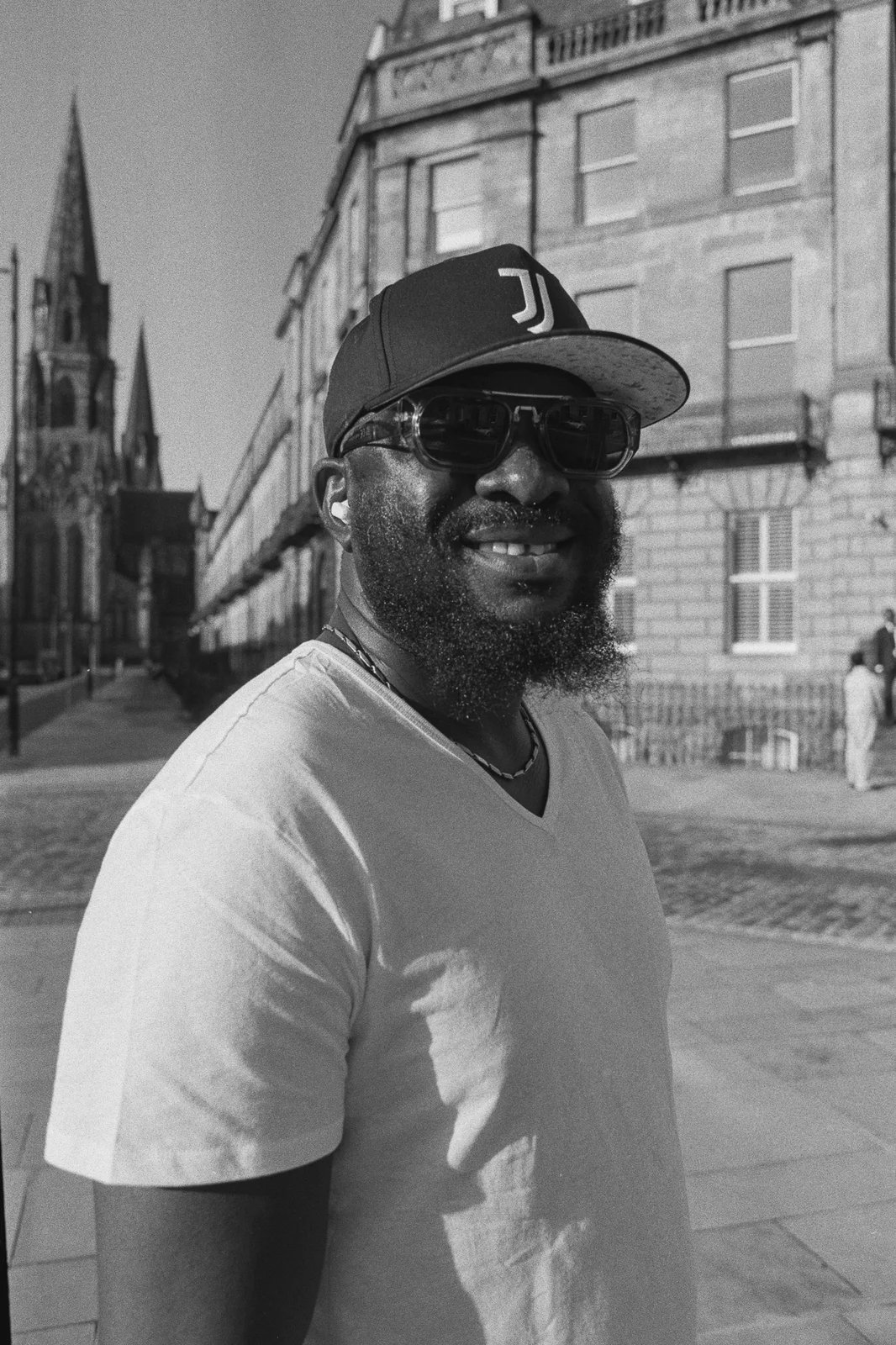
  <img src="/assets/images/blog/contax-s2/samples/16-cap.webp" width="1066" height="1600" loading="lazy" alt="A smiling bearded man in a baseball cap and sunglasses on a sunny street" />
  <figcaption>Ilford HP5 Plus, 28mm</figcaption>
</figure>
</div>

<figure class="md:w-1/2 md:mx-auto">
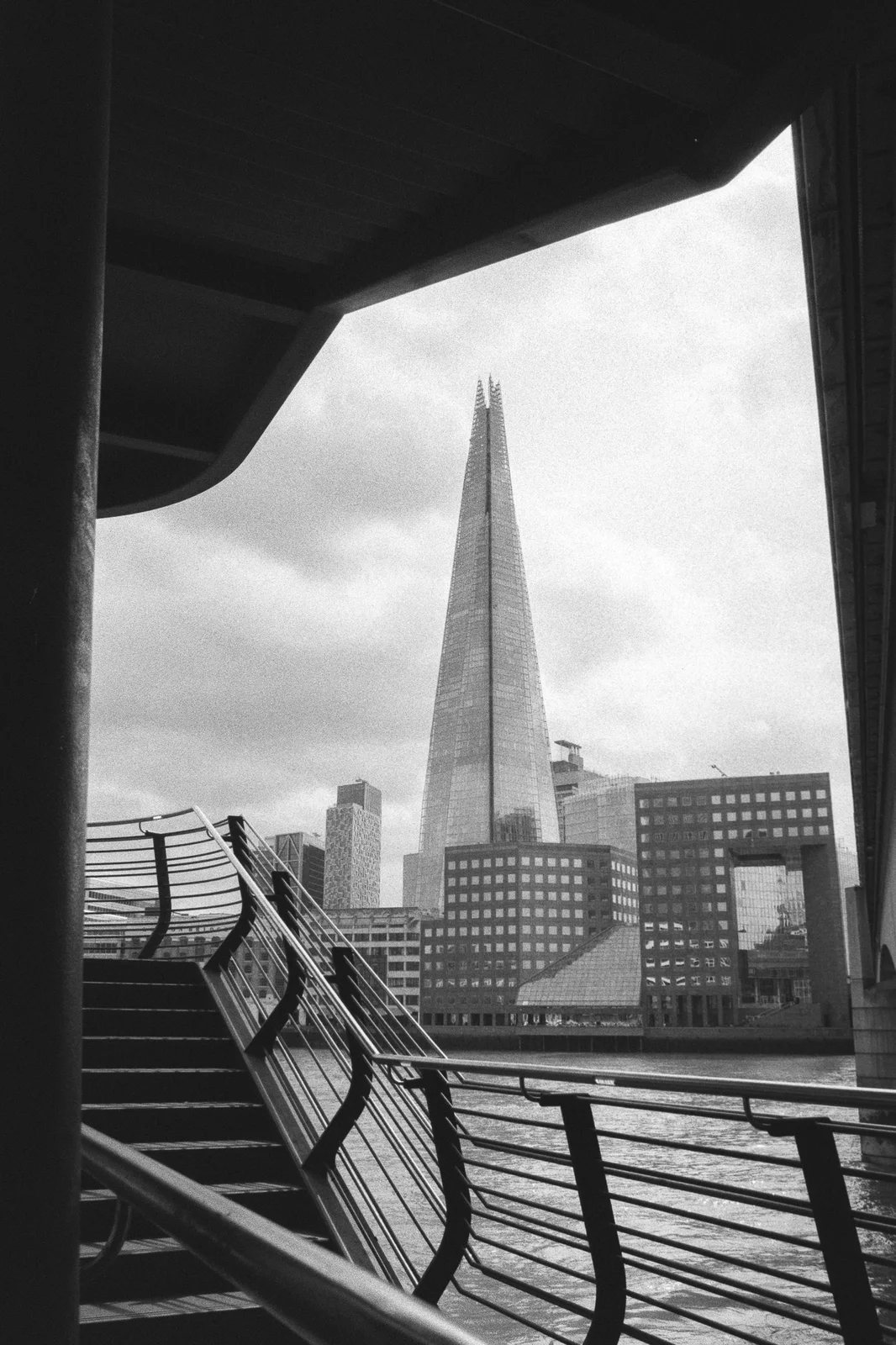
  <img src="/assets/images/blog/contax-s2/samples/17-shard.webp" width="1066" height="1600" loading="lazy" alt="The Shard framed by a dark underpass and curving riverside railings" />
  <figcaption>Kentmere 400 pushed two stops, 28mm</figcaption>
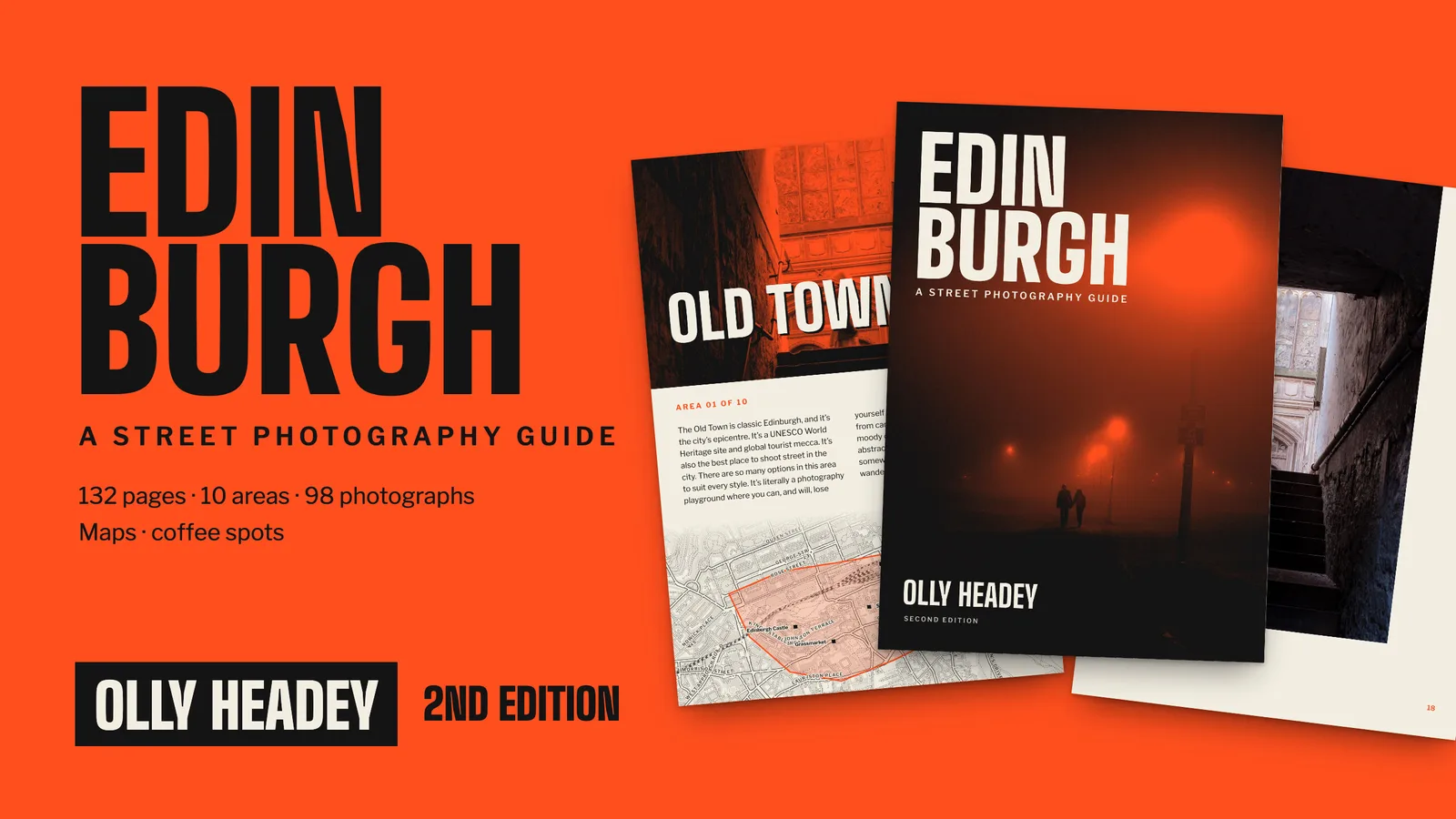
</figure>]]></content><author><name></name></author><summary type="html"><![CDATA[The film camera I’d been using until recently was a Yashica FX-D, the first ‘proper’ camera I ever owned. It’s fairly basic but it does the job, and it also has a Yashica/Contax mount which means there are some very nice lenses available. I have an original Yashica 50mm f1.4, but a couple of years ago I bought a Contax Zeiss Distagon 35mm f2.8. 35mm is a focal length I much prefer, and these Zeiss lenses are said to be the dog’s proverbials in terms of image quality. They’re not cheap (~£250 in good condition), but they’re an order of magnitude cheaper than a Leica equivalent so, when you put it that way, they’re great value. I might write a blog post about these lenses at some point, but I’m here to write about the Contax S2.]]></summary><media:thumbnail xmlns:media="http://search.yahoo.com/mrss/" url="https://ollyheadey.com/assets/images/blog/contax-s2/contax-s2-front.webp" /><media:content medium="image" url="https://ollyheadey.com/assets/images/blog/contax-s2/contax-s2-front.webp" xmlns:media="http://search.yahoo.com/mrss/" /></entry><entry><title type="html">Edinburgh Street Photography Guide: Second Edition</title><link href="https://ollyheadey.com/blog/edinburgh-street-photography-guide-second-edition" rel="alternate" type="text/html" title="Edinburgh Street Photography Guide: Second Edition" /><published>2026-09-26T00:00:00+00:00</published><updated>2026-09-26T00:00:00+00:00</updated><id>https://ollyheadey.com/blog/edinburgh-street-photography-guide-second-edition</id><content type="html" xml:base="https://ollyheadey.com/blog/edinburgh-street-photography-guide-second-edition"><![CDATA[<p>I’ve just launched a second edition of my eBook – a street photography guide to Edinburgh.</p>

<p><img src="/assets/images/blog/edinburgh-guide-second-edition/cover.webp" alt="The second edition of my Edinburgh street photography guide" /></p>

<p>The book has been redesigned from scratch, the coffee shop listings have been updated, the maps recreated, and I’ve added over 40 new photos.</p>

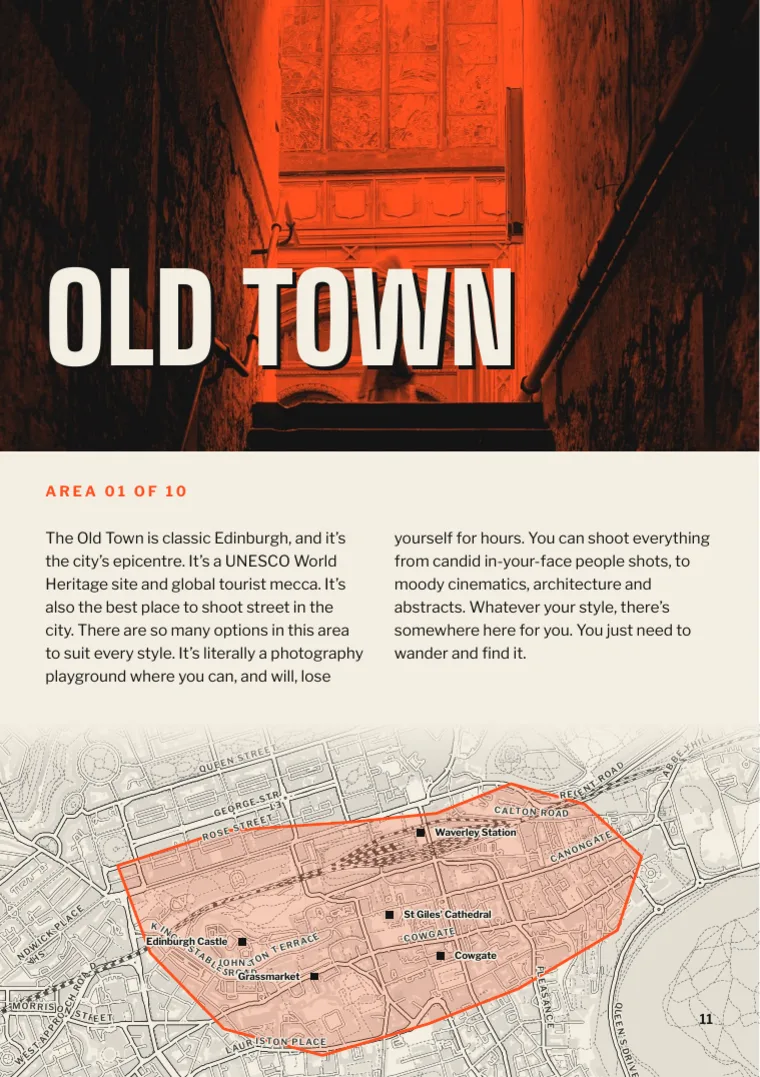
<p><img src="/assets/images/blog/edinburgh-guide-second-edition/opener-page.webp" alt="The Old Town chapter opener" /></p>

<h2 id="free-for-existing-customers">Free for existing customers</h2>

<p>If you already bought the original eBook, the second edition is yours for free! It’s in your Gumroad library, so just download it again and you’ll get the new version.</p>

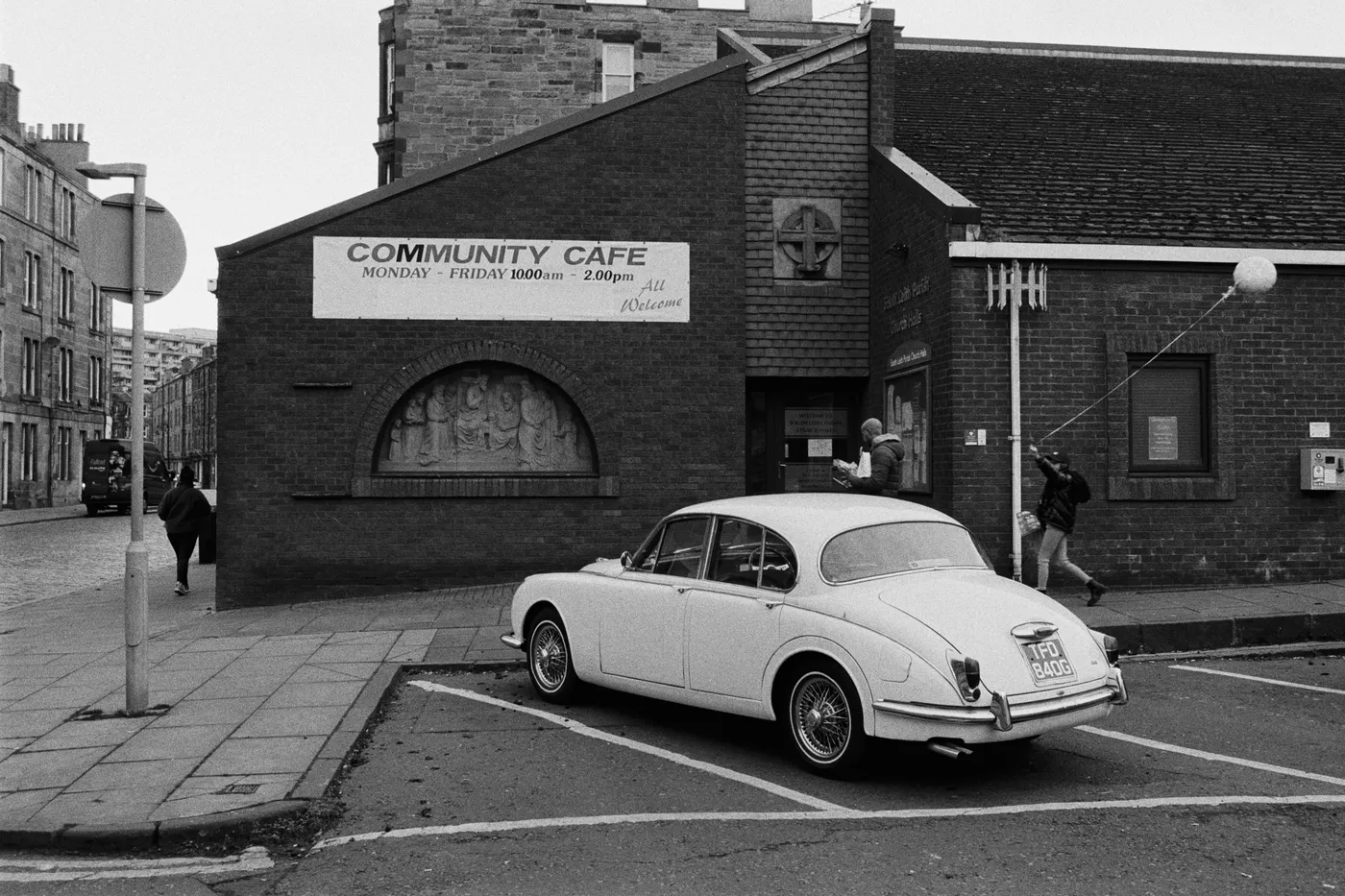
<p><img src="/assets/images/blog/edinburgh-guide-second-edition/st-anthony-street.webp" alt="St Anthony Street, Leith, shot on Ilford HP5" /></p>

<div class="not-prose my-8">
  <a href="https://store.ollyheadey.com/l/edgabk" class="btn-primary">Get the guide · £9</a>
</div>]]></content><author><name></name></author><summary type="html"><![CDATA[I’ve just launched a second edition of my eBook – a street photography guide to Edinburgh.]]></summary><media:thumbnail xmlns:media="http://search.yahoo.com/mrss/" url="https://ollyheadey.com/assets/images/blog/edinburgh-guide-second-edition/cover.webp" /><media:content medium="image" url="https://ollyheadey.com/assets/images/blog/edinburgh-guide-second-edition/cover.webp" xmlns:media="http://search.yahoo.com/mrss/" /></entry><entry><title type="html">Shortlisted for the British Photography Awards</title><link href="https://ollyheadey.com/blog/shortlisted-for-the-british-photography-awards" rel="alternate" type="text/html" title="Shortlisted for the British Photography Awards" /><published>2026-09-14T00:00:00+00:00</published><updated>2026-09-14T00:00:00+00:00</updated><id>https://ollyheadey.com/blog/shortlisted-for-the-british-photography-awards</id><content type="html" xml:base="https://ollyheadey.com/blog/shortlisted-for-the-british-photography-awards"><![CDATA[<p>One of my photos has been <a href="https://www.britishphotographyawards.org/2026-shortlist/gallery#street">shortlisted for the British Photography Awards</a>, in the Street category. I’m delighted, and rather surprised – the standard of the other entries is really high – but this photo is definitely one of my favourites.</p>

<p><img src="/assets/images/blog/british-photography-awards-2026/bpa-shortlist.webp" alt="Never Let Me Go, shortlisted in the Street category of the British Photography Awards" /></p>

<p>It’s called <em>Never Let Me Go</em>, and it was taken on the New York subway last October. It’s the same shot that <a href="/blog/world-street-photo-awards">picked up a runner-up award at the World Street Photo Awards</a>.</p>

<p>The winner is chosen by a judging panel, but there’s also a “People’s Choice” award decided by public vote. So if you’re feeling generous, please visit <a href="https://www.britishphotographyawards.org/2026-shortlist/shortlist/street/never-let-me-go/6d59c099-2ec6-4838-bfcc-85515cc408c5">the page of my photo</a> and vote for it 😊</p>]]></content><author><name></name></author><summary type="html"><![CDATA[One of my photos has been shortlisted for the British Photography Awards, in the Street category. I’m delighted, and rather surprised – the standard of the other entries is really high – but this photo is definitely one of my favourites.]]></summary><media:thumbnail xmlns:media="http://search.yahoo.com/mrss/" url="https://ollyheadey.com/assets/images/blog/british-photography-awards-2026/bpa-logo.webp" /><media:content medium="image" url="https://ollyheadey.com/assets/images/blog/british-photography-awards-2026/bpa-logo.webp" xmlns:media="http://search.yahoo.com/mrss/" /></entry><entry><title type="html">Fujifilm GFX100S II and GF55mmF1.7 R WR review</title><link href="https://ollyheadey.com/blog/fujifilm-gfx100s-ii-review" rel="alternate" type="text/html" title="Fujifilm GFX100S II and GF55mmF1.7 R WR review" /><published>2026-05-14T00:00:00+00:00</published><updated>2026-05-14T00:00:00+00:00</updated><id>https://ollyheadey.com/blog/fujifilm-gfx100s-ii-review</id><content type="html" xml:base="https://ollyheadey.com/blog/fujifilm-gfx100s-ii-review"><![CDATA[<p>In my ongoing exploration of the Fujifilm camera range, I recently loaned their current pièce de résistance – the <a href="https://www.fujifilm-x.com/en-us/products/cameras/gfx100s-ii/">GFX100S II</a>, paired with the <a href="https://www.fujifilm-x.com/en-us/products/lenses/gfx/gf55mmf17-r-wr/">GF55mmF1.7 R WR</a> lens.</p>

<p>This is a 102 megapixel medium format (or, as Fujifilm call it, “large format”) mirrorless camera that offers what is arguably the best image resolution and image quality you can buy in a consumer digital camera.</p>

<p>The second edition of this camera brings improved performance over it’s predecessor, bringing it closer to the speed of Fujifilm’s X-Series cameras, which is remarkable considering how much larger the sensor is.</p>

<p>I wanted to see how this camera compared to the <a href="https://ollyheadey.com/blog/adopting-the-fujifilm-x-t5">X-T5</a> and the <a href="https://ollyheadey.com/blog/fujifilm-gfx100rf-review">GFX100RF</a>, so read on to find out what I thought.</p>

<figure>
  <img src="/assets/images/blog/gfx100s-ii/gfx100s-ii-1.webp" alt="The Fujifilm GFX100S II" />
  <figcaption>The Fujifilm GFX100S II with the GF55mmF1.7 R WR lens</figcaption>
</figure>

<h2 id="first-impressions">First impressions</h2>

<p>As soon as I took delivery of TWO flight cases (one for the body, one for the lens), I knew this was going to be a beast of a camera/lens combo. However I didn’t expect it to be <em>this</em> large.</p>

<p>Compared to my X-T5, the body is MASSIVE. And this is the <em>small</em> body – <a href="https://www.fujifilm-x.com/en-us/products/cameras/gfx100-ii/">its sibling</a> is even bigger!</p>

<p>As for the lens, holy hell, it is huge. Vast. Monstrous. Gargantuan. Full-frame fans will think I’m being ridiculous because their premium f1.4 primes are also massive, but as a long-time X-Series customer it came as a surprise.</p>

<p>The GF55mmF1.7 R WR is a 43mm f1.2 full-frame equivalent lens, so of course this requires a lot of glass and a lot of girth. As a result it’s heavy, but since the body itself has a decent amount of weight, it’s not front-heavy when worn around the neck – the combo actually balances nicely.</p>

<div class="grid grid-cols-1 md:grid-cols-2 gap-4">
<figure>
  <img src="/assets/images/blog/gfx100s-ii/gfx100s-ii-x-t5-1.webp" alt="Fujifilm X-T5 vs GFX100S II" />
  <figcaption>Fujifilm X-T5 vs GFX100S II</figcaption>
</figure>
<figure>
  <img src="/assets/images/blog/gfx100s-ii/gfx100s-ii-x-t5-2.webp" alt="Fujifilm X-T5 and GFX100S II head to head" />
  <figcaption>Fujifilm X-T5 and GFX100S II head to head</figcaption>
</figure>
</div>

<p>The body and the lens feel <em>incredibly</em> well built. Perhaps not Leica-levels of quality, but it certainly feels premium, more so than the X-T5.</p>

<p>The initial impression was very good. A solid beast of a camera that feels like it’s made to produce excellent images.</p>

<h2 id="handling">Handling</h2>

<p>The grip on the body is chunky and fits my average-sized hands really well. If you have smaller hands, it’s going to feel big. Maybe too big. Although the GF55mmF1.7 is large, the body and lens feels ok to hold in one hand thanks to the grip. The combined weight is over 1.6kg so you’re going to struggle to walk around with it all day, but it’s not that kind of camera really. That said, I took it on a 4-hour photo walk around Edinburgh and it felt fine. YMMV as they say.</p>

<div class="grid grid-cols-1 md:grid-cols-2 gap-4">
<figure>
  <img src="/assets/images/blog/gfx100s-ii/gfx100s-ii-hand.webp" alt="GFX100S II in hand" />
  <figcaption>GFX100S II in hand</figcaption>
</figure>
<figure>
  <img src="/assets/images/blog/gfx100s-ii/x-t5-hand.webp" alt="X-T5 in hand" />
  <figcaption>Fujifilm X-T5 in hand</figcaption>
</figure>
</div>

<p>The camera operates pretty much like any other Fujifilm X or GFX camera. The menus are the same (not that intuitive, but that’s a general Fujifilm issue), although some of the buttons are in different places to the X-T5 (as was the case with the GFX100RF). This isn’t a problem per se (either layout is perfectly fine), but if you’re switching between the two regularly you might find it mildly annoying.</p>

<p>Given the size of the camera, I found the lack of a D-pad disappointing. I really value these custom buttons and I find them more intuitive to use than the joystick. The X-T5 has both, so I don’t really understand the logic for not including them on this model too.</p>

<p><img src="/assets/images/blog/gfx100s-ii/gfx100s-ii-2.webp" alt="Side View" /></p>

<p>The joystick is, like the GFX100RF, larger and flatter than the one on the X-T5 or X100VI. I find this larger style harder to use than the smaller one on the X-Series. The GFX bodies are larger so it’s easier to accommodate a larger thumbpad on the joystick, but it just feels much more effort to move than the X series one. Personal preference, perhaps, but I much prefer the X-Series version.</p>

<p>One of the premium selling points of the GFX100S II is the EVF – it’s large and clear. With 5.76 million pixels it’s noticeably better than the X-T5. I can only imagine what the even larger one in the GFX100 II looks like with 9.44 million pixels! Hopefully the X-T6 will get some of this technology, but maybe the compact body is just too small to contain it.</p>

<p>The GFX100S II has a second screen on the top of the body. This is an always-on e-ink screen, echoing the design of SLRs of yesteryear. It’s a nice touch, but to be honest I never really looked at it. I’m sure I’d get used to it over time, but I wonder if this real estate could be better used with additional customisable dials and buttons as you get on the Sony A7 series?</p>

<p><img src="/assets/images/blog/gfx100s-ii/gfx100s-ii-3.webp" alt="Rear View" /></p>

<h2 id="shooting">Shooting</h2>

<p>The shooting experience is essentially the same as with any other X- or GFX-Series camera. The metering options, the autofocus options, the film sims – they’re very familiar to any Fujifilm customer.</p>

<p>This is fine if you have familiarity, but new-to-Fuji customers are going to have to go through the tricky initiation/hazing trial of learning the menus and customising the buttons which is <em>so much harder than it needs to be in 2026</em>. I talk about this in every review of Fuji gear that I do, and I know I sound like a stuck record, but I’ll keep doing so until Fujifilm sort it out.</p>

<p>The two most premium camera brands are Leica and Hasselblad and the user interfaces on their cameras are <em>light years</em> ahead of Fujifilm. This GFX100S II is competing directly with the <a href="https://www.hasselblad.com/x-system/x2d-100c/">Hasselblad X2D 100C</a> and I think they’ve dropped the ball by not improving their UI for this GFX range. Hasselblad are simply on another software level. Take a look at this:</p>

<video controls="" autoplay="" loop="" muted="" class="w-full">
  <source src="https://cdn.hasselblad.com/f/77891/x/f612c37897/ui-interface_updated.mp4" type="video/mp4" />
  Your browser does not support the video tag.
</video>

<p>Now go and take a look at your Fuji menus. Oh dear.</p>

<h3 id="performance">Performance</h3>

<p>Due to the epic size of the sensor, GFX cameras need a lot of processing power to match the performance of the X-Series cameras. The GFX100S II has the S in the name for a reason – speed. And it’s genuinely impressive!</p>

<p>To a large extent it feels almost (but not quite) as quick as my X-T5 which is a big accomplishment. For landscape and portrait work, you’ll have no complaints. If you’re after quicker action and street photos, you’ll likely struggle a bit more, but this is not the sort of photography the GFX is aimed at. Why are you shooting street on a GFX100S II? Nobody is, surely?</p>

<p>I spent a day taking street <em>portraits</em> and it worked well. The eye-tracking auto focus was pretty good, although I felt it’s a little better on the X series. I had the performance boost on, but it still missed some shots. Some of this will be down to my clumsiness, no doubt, so I don’t think you’d be disappointed once you’d got the hang of the camera. It’s more than good enough.</p>

<p>There did seem to be a noticeable delay when shooting in RAW + JPEG mode. Switching to only RAW made things snappier, which I suppose you’d expect (there’s less for the processor to do). It’s worth noting that you don’t experience this slow down with the X-T5.</p>

<p>The GFX100S II uses a traditional PASM dial rather than separate ISO and shutter dials like the X-T5 (they should totally do a GFX-T series!), but I don’t mind this at all (I used to have X-S10). In fact, I value the easy access to custom settings which requires going into the dreaded menus on the X-T5.</p>

<p>One thing I noticed is that to access exposure compensation using the rear command dial, you have to press and hold a button next to the shutter button while you move the dial. I <em>really</em> didn’t like this. I found it non-intuitive and hard to use. Perhaps you can override the button and make it optional, but I couldn’t figure out how (because Fuji menus).</p>

<h2 id="image-quality">Image quality</h2>

<p>Let’s get the obvious over and done with. Is the image quality any good? Yes! The images are extremely detailed and the sharpness from the GF55mmF1.7 lens is incredible. There are more pixels that you’ll ever need – 11648 x 8736 pixels to be precise. This is insane!</p>

<p>If you want the highest possible image quality, you can’t really go wrong with this camera. It will deliver. I haven’t tested any of the other GFX lenses (and I have no idea how to <em>really</em> test a lens) but I’m sure they’re just as sharp as this wonderful 55mm.</p>

<p>The bokeh from this lens is out of this world. At F1.7 it’s almost too much, so I found myself using F2.0 or F2.8 when close up. Here are some portrait samples.</p>

<div class="grid grid-cols-1 md:grid-cols-2 gap-4">
<figure>
  <img src="/assets/images/blog/gfx100s-ii/portrait-3.webp" alt="Portrait photo taken with the GFX100S II" />
</figure>
<figure>
  <img src="/assets/images/blog/gfx100s-ii/portrait-4.webp" alt="Portrait photo taken with the GFX100S II" />
</figure>
<figure>
  <img src="/assets/images/blog/gfx100s-ii/portrait-5.webp" alt="Portrait photo taken with the GFX100S II" />
</figure>
<figure>
  <img src="/assets/images/blog/gfx100s-ii/portrait-6.webp" alt="Portrait photo taken with the GFX100S II" />
</figure>
</div>

<p>While this sensor is technically brilliant, I think you need to question whether you need this level of detail at all. I struggle somewhat to see what the genuine use cases are for such monstrous images other than printing something at a massive scale. But even if you’re doing that, do you actually need such crazy detail? The larger you print something, the further back you have to stand so the less actual DPI you need. According to Claude, here’s the minimum DPI by distance:</p>

<ul>
  <li>1 ft away: ~300 DPI</li>
  <li>2 ft: ~150 DPI</li>
  <li>4 ft: ~75 DPI</li>
  <li>6 ft: ~50 DPI</li>
  <li>10 ft: ~30 DPI</li>
</ul>

<p>So, for a 11648 × 8736 image, you could print a photo on a 6m x 4m wall at 50 DPI!</p>

<p>Basically, you <em>don’t</em> need this resolution. It’s a <em>nice to have</em> for people who want the best of the best, regardless of whether it’s necessary. Sure, it does allow you to do some crazy ass cropping, but if you’re picking fragments out of your photos in that way then maybe you need to rethink how you’re taking the photos in the first place?</p>

<div class="grid grid-cols-1 md:grid-cols-2 gap-4">
<figure>
  <img src="/assets/images/blog/gfx100s-ii/portrait-1.webp" alt="Portrait photo taken with the GFX100S II" />
</figure>
<figure>
  <img src="/assets/images/blog/gfx100s-ii/portrait-2.webp" alt="Portrait photo taken with the GFX100S II" />
</figure>
</div>

<p>What you also need to think about is that the more pixels your images have, the more GB you’re gonna need to store them. I’m very aware of my storage space, so when I was using this camera on a day shooting portraits, I actually set the camera to 50MP. I didn’t shoot at 102MP because (a) it’s not necessary as described above, and (b) it’s absolutely <em>punishing</em> on your SSD and cloud storage.</p>

<p>Storage used to be cheap, but in the AI age <a href="https://www.forbes.com/sites/tomcoughlin/2026/04/16/ssd-storage-capacity-prices-are-over-20-times-hdd-storage-capacity-prices/">the prices have exploded</a> and they’re only going to get higher over the next year or two. I don’t know about you, but I want <em>fewer</em> megapixels right now, not more! The trade off right now isn’t worth it in my opinion.</p>

<p>Shooting on the GFX100S II at at 102MP gives you RAW files well over 220MB in size. At 50MP (“fine” over “super fine”) this drops to 119MB when stored lossless. I opted to store them as “compressed” which results in some data being discarded, but I couldn’t see any difference visually, and the files were 70MB in this form which felt like a reasonable compromise. JPEGs are about 1/3 of the size of RAWs, but I imagine most people are going to shoot RAW with this camera.</p>

<h2 id="issues">Issues</h2>

<p>The hardware is great. Full stop. No issues.</p>

<p>The complaints I have are all software related. I’ve moaned about the archaic menu system already, but it would be remiss not to call out the shambolic state of the <a href="https://www.fujifilm-x.com/global/products/software/xapp/">Fujifilm X app</a> (no, not <a href="https://x.com"><em>that X app</em></a>). This app is diabolical. I’ve been trying to use it with my X-T5, as well as my X100VI, with mixed success but I had <em>zero</em> success with the GFX100S II. Pairing via Bluetooth simply wouldn’t work. I’m technically very proficient, but 30 years of software development experience failed me when trying to connect this camera to their woeful app.</p>

<p>For a company the size of Fujifilm, this is simply unacceptable. They need to shake up their entire software factory and start afresh because they seem to be completely stuck in a dead end. It’s such a shame, and it’s holding them back. Come on Fuji, sort it out!</p>

<h2 id="conclusion">Conclusion</h2>

<p>Fujifilm have done an excellent job with this camera, and apart from the aforementioned nitpicks (lack of D-pad, exposure comp button, menu hell), there’s nothing here to really complain about at all. If you want to move into the world of high-resolution medium (ahem, <em>large</em>) format digital photography then it’s a perfect place to start.</p>

<p>The images are crisp, the camera is fast (for it’s size), and the ergonomics are very good.</p>

<p>The GF55mmF1.7 R WR lens is absolutely wonderful, offering sharpness and exquisite bokeh – perhaps almost too much at F1.7 in portrait situations! I genuinely loved this lens so much it’s making me want to ditch APSC for full frame (sorry Fuji).</p>

<p>Make no mistake, the GFX100S II is an expensive camera, with lens costs to boot, but you’re getting a high quality product for your money. And you need <em>a lot</em> of money – the body retails at £4,999 and the GF55mmF1.7 R WR retails at £2,249.</p>

<p>This is definitely a saving over its nearest rival though. The Hasselblad X2D 100C II is £6,400 for the body and £3,559 for the 55mm f2.5 lens. However, the Hasselblad does appear to edge it in the quality and performance stakes, as well as (in my opinion) with design. If you’re going to shell out over seven grand for a camera body and one lens, maybe three thousand more doesn’t seem that much for absolute perfection?</p>

<p>In the end, it’s clear I have no need for 102 megapixels and therefore GFX. The 40MP I get with my X-T5 is enough, but I think 50MP might be the sweet spot. A Sony or a Leica full frame would give me 60MP, which is still more than enough, so I’m struggling to see why I’d go down the medium format route. People talk about <em>the rendering</em> but I just don’t see a difference. What do I know though, I’m a lowly street and documentary photographer. I’m likely missing something.</p>

<p>Fujifilm started their medium format journey at 50MP and the discontinued compact <a href="https://www.fujifilm-x.com/global/products/cameras/gfx-50r/">GFX 50R</a> has become a much sought-after classic, even attracting street shooters. I doubt Fujifilm will return to 50MP medium format (they seem more likely to go even higher on the megapixels) but I think there would be a demand for it. For my needs, a GFX 50R II would actually be a <em>more</em> attractive proposition. I’m sure a lot of people would agree, so perhaps Fuji will have a future surprise in store for us. Can you just make sure we get a UI overhaul first, please?</p>

<h3 id="finally-a-few-more-sample-images">Finally, a few more sample images</h3>

<p>Let me know what you think!</p>

<div class="grid grid-cols-1 md:grid-cols-2 gap-4">
<figure>
  <img src="/assets/images/blog/gfx100s-ii/sample-1.webp" alt="Sample photo 01 from the Fujifilm GFX100S II" />
</figure>
<figure>
  <img src="/assets/images/blog/gfx100s-ii/sample-2.webp" alt="Sample photo 02 from the Fujifilm GFX100S II" />
</figure>
<figure>
  <img src="/assets/images/blog/gfx100s-ii/sample-3.webp" alt="Sample photo 03 from the Fujifilm GFX100S II" />
</figure>
<figure>
  <img src="/assets/images/blog/gfx100s-ii/sample-4.webp" alt="Sample photo 04 from the Fujifilm GFX100S II" />
</figure>
<figure>
  <img src="/assets/images/blog/gfx100s-ii/sample-5.webp" alt="Sample photo 05 from the Fujifilm GFX100S II" />
</figure>
<figure>
  <img src="/assets/images/blog/gfx100s-ii/sample-6.webp" alt="Sample photo 06 from the Fujifilm GFX100S II" />
</figure>
</div>]]></content><author><name></name></author><summary type="html"><![CDATA[In my ongoing exploration of the Fujifilm camera range, I recently loaned their current pièce de résistance – the GFX100S II, paired with the GF55mmF1.7 R WR lens.]]></summary><media:thumbnail xmlns:media="http://search.yahoo.com/mrss/" url="https://ollyheadey.com/assets/images/blog/gfx100s-ii/gfx100s-ii-1.webp" /><media:content medium="image" url="https://ollyheadey.com/assets/images/blog/gfx100s-ii/gfx100s-ii-1.webp" xmlns:media="http://search.yahoo.com/mrss/" /></entry><entry><title type="html">Fujifilm XF 16-55mm WR II review. The Perfect Fujifilm Zoom Lens?</title><link href="https://ollyheadey.com/blog/fujifilm-xf-16-55mm-wr-ii" rel="alternate" type="text/html" title="Fujifilm XF 16-55mm WR II review. The Perfect Fujifilm Zoom Lens?" /><published>2026-04-22T00:00:00+00:00</published><updated>2026-04-22T00:00:00+00:00</updated><id>https://ollyheadey.com/blog/fujifilm-xf-16-55mm-wr-ii</id><content type="html" xml:base="https://ollyheadey.com/blog/fujifilm-xf-16-55mm-wr-ii"><![CDATA[<p>The original <a href="https://www.fujifilm-x.com/global/products/lenses/xf16-55mmf28-r-lm-wr/">Fujifilm XF16-55mm F2.8 R LM WR</a>  zoom lens was very highly regarded. As one of the “red badge” zoom lenses, it was pitched as a “prime zoom”, meaning it had a fixed f2.8 aperture throughout the zoom range and had image quality to match their prime lenses. This came at a cost, naturally, in size, weight and price. The lens cost well over £1000 in the UK, was a minimum length of 106mm (129.5mm when zoomed), had a filter size of 77mm and weighed a hefty 655g. It was best suited to an X-H body, or an X-T at a push. For anything smaller, forget it.</p>

<p>This lens was released way back in 2015, when Fujifilm cameras maxxed out at 24MP. Since the advent of the latest 40MP lenses, Fujifilm have gradually been updating their premium lenses to take advantage of this new resolution, and in late 2024 they released the second generation of this lens, the <a href="https://www.fujifilm-x.com/en-gb/products/lenses/xf16-55mmf28-r-lm-wr-ii/">XF16-55mm F2.8 R LM WR II</a>. They have managed to significantly reduce the size and weight, but not, of course, the cost. The new lens is only 95mm in length (122mm when zoomed), with a 72mm filter size, and it now weighs only 410g.</p>

<p>I recently loaned one from Fujifilm and gave it a spin for a week. As a fan of the <a href="https://ollyheadey.com/blog/sigma-18-50-vs-fujifilm-16-50-wr">Sigma 18-50mm f2.8</a>, I wanted to see whether I should consider an upgrade to Fujifilm’s new offering. Could I be convinced? Read on to find out.</p>

<p><img src="/assets/images/blog/xf-16-55mm/xt5-xf-1.webp" alt="The XF16-55mmF2.8 R LM WR II on a Fujifilm X-T5" /></p>

<h2 id="first-impressions-build-quality-size-and-weight">First impressions. Build quality, size and weight</h2>

<p>I never tried the original version, but the new lens still feels a little on the large size, as well as rather heavy for me. Not enough to put me off, but make no mistake, this is still something of a tank – how people coped with the original is beyond me! Still, it’s in the “acceptable” range for a long day of photography so the size isn’t enough to put me off. I had previously owned the XF16-80mmF4 R OIS WR many years ago, and this new XF16-55mmF2.8 is lighter and almost as compact as that lens. So if you’re comfortable with the XF16-80mm, you’ll likely be delighted with the XF 16-55mm.</p>

<p>The build quality is excellent, as you’d expect from Fujifilm. The aperture ring can be switched between clickable and non-clickable, unlike the original (this is useful for video, so I’m told). I find the action a little too smooth for my liking in clickable mode. I prefer a very solid click between stops like on my XF 33mm F1.4, but this feels a bit too soft for me especially when reducing the aperture (it feels a bit better when increasing, oddly). Perhaps it’s because it was a well-used loaner, I don’t know. Not a deal breaker, just something I noticed.</p>

<p>On my X-T5 the lens feels large and a little front-heavy. Not massively so, just a little, but it’s noticable. You could argue this is just one of those tradeoffs you have to accept, but I don’t necessarily agree because Sigma have packed a similar lens into a much smaller body that weighs only 285g. My guess is that Fujifilm were unwilling to accept any tradeoff in image quality to reduce the size even more, which makes total sense, but can people really tell the difference with image quality when it’s so good across the board these days?</p>

<p><img src="/assets/images/blog/xf-16-55mm/xt5-xf-2.webp" alt="The XF16-55mmF2.8 R LM WR II on a Fujifilm X-T5" /></p>

<h2 id="whats-the-image-quality-like">What’s the image quality like?</h2>

<p>From what I can tell, the lens produces exceptionally good images at all zoom levels and apertures, as you would expect. Other bloggers will have done intricate scientific tests of this vs alternative lenses, if that’s important to you, but to my eyes (and for my needs) pretty much all Fujifilm and Sigma lenses produce exceptionally good images, even the 10+ year old Fuji ones.</p>

<p>If you’re creating photographs that require the utmost image precision (studio portraits? landscapes? I honestly don’t know), then maybe this new lens brings advantages to you on the 40MP sensor, but this must be a very small minority of customers. The old lens, or the Sigma, will surely be more than good enough?</p>

<p>Here are a few images I took with the lens on the X-T5.</p>

<div class="grid grid-cols-1 sm:grid-cols-2 gap-x-4 text-center">
  <figure>
    <img src="/assets/images/blog/xf-16-55mm/xf-16-55-sample-1.webp" alt="Sample image with the Fujifilm XF16-55mm F2.8 R LM WR II" />
  </figure>
  <figure>
    <img src="/assets/images/blog/xf-16-55mm/xf-16-55-sample-2.webp" alt="Sample image with the Fujifilm XF16-55mm F2.8 R LM WR II" />
  </figure>
</div>
<figure>
  <img src="/assets/images/blog/xf-16-55mm/xf-16-55-sample-3.webp" alt="Sample image with the Fujifilm XF16-55mm F2.8 R LM WR II" />
</figure>
<figure>
  <img src="/assets/images/blog/xf-16-55mm/xf-16-55-sample-4.webp" alt="Sample image with the Fujifilm XF16-55mm F2.8 R LM WR II" />
</figure>

<h2 id="16-55mm-vs-16-50mm-vs-16-80mm-vs-18-55mm">16-55mm vs 16-50mm vs 16-80mm vs 18-55mm</h2>

<p>When choosing a standard-range (i.e. not super wide, not telephoto) Fujifilm zoom, there are plenty of options. This new 16-55mm F2.8, the old version, the ‘kit’ 16-50mm F2.8-4.8, the 16-80mm F4 and the Sigma 18-55mm F2.8 (there are other 3rd party ones, but I’ve only tried this selection). So which should you choose? There are a few factors to consider.</p>

<h3 id="range">Range</h3>

<p>The first choice is range. Do you need to go as wide as 16mm (which is 24mm in full frame)? Do you need to go as long as 80mm (120mm full frame), or are you happy with 50mm (75mm full frame), or 55mm (82.5mm full frame)?</p>

<p>If you absolutely must go to 80mm then you need the 16-80, but maybe you should be considering the 18-135mm? Otherwise either 50mm or 55mm will be just fine. The 5mm additional zoom won’t make much difference, you can always crop in a little and you’ll barely lose resolution on a 40MP sensor.</p>

<p>A bigger decision is 16mm vs 18mm on the wide end. 16mm (24mm FF) is, to me, noticably wider and better in a number of scenarios than 18mm. Sometimes I’ve found 18mm (27mm FF) isn’t <em>quite</em> wide enough, but perhaps this is just me. I’m a massive fan of <a href="https://ollyheadey.com/blog/fujifilm-xf-16mm-f1-4-wr-review-a-street-photography-classic">the 16mm Fuji prime</a> after all so perhaps I’m biased, but if you find you need to go wider than the 18mm then you either move your feet, or accept defeat.</p>

<p>Most premium full-frame zooms (Canon, Sony, etc) are in the 24-70 F2.8 range, so for me the 16-55mm F2.8 is the absolute sweet spot here.</p>

<h3 id="aperture">Aperture</h3>

<p>The fixed-aperture zooms like the XF16-55mm F2.8 R LM WR II are, in my opinion, a step up from the variable aperture options. Being able to open up to F2.8 in full zoom gives you both wonderful bokeh (comparable to a prime) and better low light performance. So for me, I want an F2.8 zoom. It’s the premium choice.</p>

<p>If F2.8 on the long end doesn’t bother you, then seriously consider the XF 16-50mm kit lens. The image quality isn’t technically as good but <em>you will not notice this in the vast majority of situations</em>! This lens is only F4.8 when fully zoomed, but it’s an <em>internal</em> zoom so it doesn’t extend, which is just wonderful. I’m sure there are reasons of physics why this isn’t possible with the F2.8 option – I wish it were though, that would be a game changer.</p>

<h2 id="how-does-it-compare-to-the-sigma-18-50mm-f28">How does it compare to the Sigma 18-50mm F2.8?</h2>

<figure>
  <img src="/assets/images/blog/xf-16-55mm/sigma-vs-xf.webp" alt="The Fujifilm XF16-55mm F2.8 R LM WR II side by side with the Sigma 18-55mm F2.8" />
  <figcaption>Sigma 18-50mm F2.8 (left) vs Fujifilm XF16-55mm F2.8 R LM WR II (right). The Fujifilm is noticable larger (and heavier), and has a curiously conical end.</figcaption>
</figure>

<p>This was the main question I had when loaning the lens. I love the <a href="https://www.sigma-global.com/en/lenses/c021_18_50_28/">Sigma</a>, but there are a few improvements I’d like to see which the XF16-55mm F2.8 R LM WR II addresses: weather resistance, an aperture ring, plus the wider 16mm focal length I’ve grown to love. So what are the tradeoffs, and are they worth it?</p>

<h3 id="weather-resistance">Weather resistance</h3>

<p>I’ve used Fujifilm WR lenses in complete downpours and they have performed admirably. I’ve no doubt that the XF16-55mm F2.8 R LM WR II is the same – it’s built like a tank and I’m sure it performs like one in all weathers. With the Sigma 18-55mm F2.8, I’m less confident. Sigma does not market this lens as weather resistant, but it’s worth noting what they say on their website:</p>

<blockquote>
  <p>Mount with Dust and Splash Resistant Structure</p>

  <p>The lens mount incorporates rubber sealing to protect the mount from dust and water drops.</p>
</blockquote>

<p>In my opinion, this is significant. Rubber seals on the lens is key part of weather sealing so your sensor and the camera internals are probably well protected. However, given Sigma don’t market it as weather resistant, there’s probably a higher chance that water could enter the lens itself (via the focus and zoom rings, or through the front) and cause irrepairable damage to the lens.</p>

<p>That said, I’ve used the Sigma in light rain and it has been fine, but your mileage may vary!</p>

<h3 id="range-1">Range</h3>

<p>As I mention above, the difference between 50mm and 55mm is marginal to me. A 50mm zoom is more than adequate for the majority of my photography. The issue for me is 16mm vs 18mm. I love the 16mm focal length on a Fuji and I do notice it when using the Sigma. It’s not a <em>massive</em> difference, but I do notice it especially when travelling and taking landscape or architectural shots for example.</p>

<h3 id="aperture-ring">Aperture ring</h3>

<p>This is the smallest trade off. I don’t <em>really</em> mind that the Sigma doesn’t have one because it’s fairly simple to use the rear command dial to change the aperture. I just prefer having a ring on the lens itself that I can move and also instantly see what aperture I’m at. It’s no deal breaker for me.</p>

<p>I have a feeling this ommission could change in the future though. Sigma just released their <a href="https://www.sigma-global.com/en/lenses/c026_15_14/">Contemporary 15mm F1.4 DC</a> which is a gorgeous 24mm equivalent (well, 23mm?) prime lens for Fuji X-mount <em>that has an aperture ring</em>, unlike <a href="https://www.sigma-global.com/en/lenses/c017_16_14/">the old, ugly, chunky version</a>. Might they bring this to an updated zoom in the future? Perhaps a 15-55mm F2.8, to really compete with this new Fujifilm zoom? It might be wishful thinking, but I think there’s a decent chance this could happen and I would be in line to upgrade if it appears.</p>

<div class="grid grid-cols-1 sm:grid-cols-2 gap-x-4 text-center">
  <figure>
    <img src="/assets/images/blog/xf-16-55mm/xt5-xf.webp" alt="X-T5 with the Fujifilm XF16-55mm F2.8 R LM WR II" />
    <figcaption>XF16-55mm F2.8 R LM WR II mounted on the X-T5. Chunky.</figcaption>
  </figure>
  <figure>
    <img src="/assets/images/blog/xf-16-55mm/xt5-sigma.webp" alt="X-T5 with the Sigma 18-55mm F2.8" />
    <figcaption>Sigma 18-55mm F2.8 mounted on the X-T5. Svelte.</figcaption>
  </figure>
</div>

<h2 id="conclusion">Conclusion</h2>

<p>The Fujifilm XF 16-55mm F2.8 R LM WR II is a wonderful zoom lens, probably best in class for X-mount, but it’s both large and heavy (still, despite being much smaller than the original), and it’s very expensive (£1,149 in the UK as of today).</p>

<p>This might be a price worth paying if weather resistance and the absolute best image quality is important to you, but for the majority of people, like me, I would recommend looking at the <a href="https://www.sigma-global.com/en/lenses/c021_18_50_28/">Sigma 18–50mm F2.8 DC DN</a>. You don’t get full weather resistance, but you do get a fixed-aperture F2.8 zoom lens with excellent image quality, that’s compact, weighs only 285g, and only costs £459.</p>

<p>With the money you save, you could get a Fujifilm XF 18-135mm f3.5-5.6 WR to go with it!</p>]]></content><author><name></name></author><summary type="html"><![CDATA[The original Fujifilm XF16-55mm F2.8 R LM WR zoom lens was very highly regarded. As one of the “red badge” zoom lenses, it was pitched as a “prime zoom”, meaning it had a fixed f2.8 aperture throughout the zoom range and had image quality to match their prime lenses. This came at a cost, naturally, in size, weight and price. The lens cost well over £1000 in the UK, was a minimum length of 106mm (129.5mm when zoomed), had a filter size of 77mm and weighed a hefty 655g. It was best suited to an X-H body, or an X-T at a push. For anything smaller, forget it.]]></summary><media:thumbnail xmlns:media="http://search.yahoo.com/mrss/" url="https://ollyheadey.com/assets/images/blog/xf-16-55mm/xt5-xf-1.webp" /><media:content medium="image" url="https://ollyheadey.com/assets/images/blog/xf-16-55mm/xt5-xf-1.webp" xmlns:media="http://search.yahoo.com/mrss/" /></entry><entry><title type="html">Nothing In Common: My 2025 Street Photography Book</title><link href="https://ollyheadey.com/blog/nothing-in-common-a-street-photography-book" rel="alternate" type="text/html" title="Nothing In Common: My 2025 Street Photography Book" /><published>2026-04-13T00:00:00+00:00</published><updated>2026-04-13T00:00:00+00:00</updated><id>https://ollyheadey.com/blog/nothing-in-common-a-street-photography-book</id><content type="html" xml:base="https://ollyheadey.com/blog/nothing-in-common-a-street-photography-book"><![CDATA[<p>I take a lot of photos. There are 20,000 in my Lightroom catalogue right now, and that’s after some heavy culling. I post many of my favourites to <a href="https://instagram.com/ollyheadey">Instagram</a> and <a href="https://irysphotos.com">Irys</a>, and I put a small selection (my favourite favourites) on this website. What I rarely do is print them! Now and again I’ll enter a print competition, and <a href="https://streetphoto.social/street-photo-social-exhibition-2026">I put on a print exhibition</a> earlier this year, but generally speaking most of my photos have to live a lonely life on my laptop and in the Adobe cloud with rarely a second glance.</p>

<p>What a shame!</p>

<p>I wrote a blog post about <a href="https://ollyheadey.com/blog/my-favourite-photos-of-2025">my favourite photos from 2025</a> and that got me thinking about making a zine. I’d already figured out how to use Affinity Publisher as part of my exhibition (I made <a href="https://ko-fi.com/s/103aa43200">an accompanying catalogue</a>), and I’d discovered Mixam as a quality print company, so I set about pulling together a larger selection from my 2025 archive.</p>

<p>2025 was a pretty good photography year for me. I was lucky to have several trips abroad, some of which were dedicated just to photography, and I’ve got quite a lot of photos I really like. As I was pulling together these images, the number of pages kept growing and my original plan for a basic zine morphed into a proper book!</p>

<p><img src="/assets/images/blog/nothing-in-common/nothing-in-common.webp" alt="My book" /></p>

<p>The book is a paperback, 144 pages long and contains 75 photos, all taken in 2025. I love it! It’s so nice to have a physical copy of photos to flick through, rather than having to scroll through tiny, compressed versions on a smartphone screen. I highly recommend doing something similar if you have the time.</p>

<p>I didn’t get a huge number of copies made. Most have gone to family and friends, with a few being used for promo purposes. That said, Mixam is excellent so if enough people are interested in a copy (signed or otherwise!), I’ll get another print run ordered. Please <a href="mailto:olly@hey.com?subject=Nothing%20In%20Common%20book">drop me an email</a> to register your interest!</p>]]></content><author><name></name></author><summary type="html"><![CDATA[I take a lot of photos. There are 20,000 in my Lightroom catalogue right now, and that’s after some heavy culling. I post many of my favourites to Instagram and Irys, and I put a small selection (my favourite favourites) on this website. What I rarely do is print them! Now and again I’ll enter a print competition, and I put on a print exhibition earlier this year, but generally speaking most of my photos have to live a lonely life on my laptop and in the Adobe cloud with rarely a second glance.]]></summary><media:thumbnail xmlns:media="http://search.yahoo.com/mrss/" url="https://ollyheadey.com/assets/images/blog/nothing-in-common/nothing-in-common.webp" /><media:content medium="image" url="https://ollyheadey.com/assets/images/blog/nothing-in-common/nothing-in-common.webp" xmlns:media="http://search.yahoo.com/mrss/" /></entry><entry><title type="html">How I set up my Fujifilm X100VI</title><link href="https://ollyheadey.com/blog/how-i-set-up-my-fujifilm-x100vi" rel="alternate" type="text/html" title="How I set up my Fujifilm X100VI" /><published>2026-03-05T00:00:00+00:00</published><updated>2026-03-05T00:00:00+00:00</updated><id>https://ollyheadey.com/blog/how-i-set-up-my-fujifilm-x100vi</id><content type="html" xml:base="https://ollyheadey.com/blog/how-i-set-up-my-fujifilm-x100vi"><![CDATA[<p>The Fujifilm X100VI is a thing of beauty. It’s a compact, rangefinder style digital camera with pretty much every bell and whistle you could need in a modern camera – a sharp 35mm full-frame equivalent lens, 40 megapixel sensor, 4K 60fps video, hybrid EVF, IBIS, ND filter and all of Fuji’s renowned film simuluation recipies. It does a lot, which is great, but all these features comes with a complexity tax.</p>

<p>In theory, using the camera out of the box in auto mode is straightforward. In practice, it can take <em>a lot</em> of getting used to. There are a lot of menus, some several levels deep, none of which I would say are particularly intuitive. There are lots of customisable buttons but the defaults won’t make sense to everyone, yet it can pay dividends to adapt them to your particular shooting style and needs. You have to put in the hard yards and experiment with all of this, but it can be overwhelming, so I thought I’d write up how I set up my X100VI having used X100 series cameras for over ten years.</p>

<p>Everyone has different shooting styles and needs so it’s impossible to offer a “gold standard” set up – that makes little sense – but hopefully going through the things I do (and, importantly, don’t do) will be helpful in itself.</p>

<h2 id="decide-on-the-experience-you-want">Decide on the experience you want</h2>

<p>The best advice I can give is to keep things simple. It’s entirely possible to set up the Fujifilm X100VI as a point and shoot like in the good old days, and it’s also possible to set it up to use like a 35mm film camera – choose a film simulation, set a specific ISO and only use auto shutter and/or aperture.</p>

<p>If you shoot different styles (street, landscape, family snaps) then you’ll ultimately need a few different set ups, but, I would recommend you create a default set up and go from there.</p>

<h2 id="my-different-set-ups">My different set ups</h2>

<p>I don’t shoot a single style with my X100VI. Most common will be street photography, but I also shoot landscapes and general travel snaps, family pictures and occasionally video. I adapt the camera settings somewhat depending on the situation, but here’s a rough guide. One common trait is that I always have it in aperture priority mode and I use the auto ISO modes almost all the time.</p>

<h3 id="street-photography">Street Photography</h3>

<p>When I’m shooting street I care most about capturing the shot, and I don’t want the shot blurred (unless I’m intentionally going for that). For this I set a minimum shutter speed (you do this in the auto ISO settings as described below) to 1/500s which is usually sufficient. This means the ISO will go high (I generally cap it at 3200), but I don’t care about that – it either adds character/grain, or you can denoise it in Lightroom. I’ll often set the aperture to f8 which keeps most things in focus when the auto focus fails me, but sometimes I’ll use manual focus (zone focusing). When I want bokeh, I’ll open the aperture to f2.</p>

<h3 id="landscapes">Landscapes</h3>

<p>When I’m shooting slower scenes, I’ll choose an auto ISO setting which doesn’t have a fast minimum shutter speed (e.g. 1/60) which keeps the ISO lower. Since I’m in aperture priority mode I’ll use f5.6 or something in the lens sweet spot. Often I’ll completely forget to do this and shoot with my street photography settings, but the only downside is that the ISO will go higher than I’d normally want it to. In this day and age though, I honestly don’t think that matters.</p>

<h3 id="night">Night</h3>

<p>When shooting at night, I’ll have the aperture wide open at f2 and choose an auto ISO setting of 6400. I don’t mind it going that high, but 12800 is a bit much I would say. If I’m trying to capture people as subjects, I’ll have the shutter speed at something like 1/250 which is generally enough.</p>

<h3 id="slow-shutter">Slow shutter</h3>

<p>When I’m shooting slow shutter I tend to go full manual. I choose my shutter speed (e.g. 1/30) and set the ISO to the lowest, then adjust the aperture accordingly. If it’s day time, I’ll turn on the ND filter of course.</p>

<hr />

<p>Without further ado, I’ll cover each setting screen and explain what I do. Hopefully this is useful in itself.</p>

<h2 id="image-quality">Image quality</h2>

<p><img src="/assets/images/blog/x100vi-set-up/image-quality.webp" alt="Image quality menu" /></p>

<p>The IQ menu is the first one in the list. For this, I largly stick with the defaults:</p>

<ul>
  <li><strong>Image size</strong>: L (large) 3:2. Standard 3:2 format at the full 40 megapixel resolution.</li>
  <li><strong>Image quality</strong>: Fine (F) + RAW. I shoot in both RAW and JPEG, with JPEGs set to the highest quality. I generally end up deleting the JPEGs, but sometimes I keep them and I also use them to share on the socials.</li>
  <li><strong>RAW recording</strong>: Lossless compressed. The default and the best option.</li>
  <li><strong>Film simulation</strong>: Classic Chrome. I love it and use it for pretty much all my colours shots!</li>
</ul>

<p>The one exception is the <a href="https://fujifilm-dsc.com/en/manual/x100vi/menu_shooting/image_quality_setting/#edit-save_custom_setting">Edit/Save Custom Settings</a> option on the 3rd page of this menu. This is where you can add custom film simulations which is a whole world of fun. See <a href="https://fujixweekly.com/2024/02/27/how-to-program-film-simulation-recipes-to-your-fujifilm-camera/">this guide</a> for more on that.</p>

<h2 id="auto-focus--manual-focus-afmf">Auto focus / Manual focus (AF/MF)</h2>

<p>This is probably the area that confuses people the most with Fujifilm cameras. I find that sticking with the basic <strong>single point AF</strong> with a medium size square is all you need. It’s how most AF cameras from back in the day worked, and it’s the simplest to get your head around.</p>

<p><img src="/assets/images/blog/x100vi-set-up/af-mf.webp" alt="AF/MF menu 1" /></p>

<ul>
  <li><strong>Focus area</strong> / <strong>AF mode</strong>: Single point. This gives you a small square (which you can change the size of, and I have it set to a medium size – not too big, not too small) which you point at where you want your camera to focus, half press the shutter button to focus, and then recompose your frame. It’s so simple and just works! Having a medium size square also allows you to move the focus point around the frame using the joystick with only a few clicks (I don’t use the touch screen).</li>
</ul>

<p>The rest of the settings on this page are the defaults.</p>

<p><img src="/assets/images/blog/x100vi-set-up/af-mf-2.webp" alt="AF/MF menu 2" /></p>

<p>In the second page of the menu I keep it simple with most things turned off. The things that are on are:</p>

<ul>
  <li><strong>Number of focus points</strong>: 117. I don’t need more than this, it’s fine.</li>
  <li><strong>MF assist</strong>: Focus peaking. I do use manual focus now and again, and when I do the focus peaking is really helpful. There are more complicated settings for this, but I just have it on the default red colour and medium sensitivity, which works well for me.</li>
</ul>

<p><img src="/assets/images/blog/x100vi-set-up/af-mf-3.webp" alt="AF/MF menu 3" /></p>

<p>I think these are all the defaults. I don’t even know what they mean, other than touch screen mode which I have turned off anyway because I find I’m always accidentally touching the screen and changing settings when I don’t want to.</p>

<h2 id="shooting">Shooting</h2>

<p><img src="/assets/images/blog/x100vi-set-up/shooting.webp" alt="Shooting menu 1" /></p>

<p>These are all the defaults. I use the self-timer <em>very</em> occasionally but I access that through the Q menu (see below).</p>

<p><img src="/assets/images/blog/x100vi-set-up/shooting-2.webp" alt="Shooting menu 2" /></p>

<p>I believe these are also the defaults.</p>

<p>Definitely prefer Mechanical shutter over electronic. I have it set to M+E which prioritises mechanical, but allows electronic if required (e.g. shooting wide open in bright sunshine, it might kick in).</p>

<p>Photometry is a weird name, it’s basically about exposure. See <a href="https://fujifilm-dsc.com/en/manual/x100v/menu_shooting/shooting_setting/index.html#photometry">the Fujifilm help guide</a> for all the details. I have this setting in my Q menu because 80% of the time I use the “Multi” option. Center weighted is useful in high contrast scenes, and I never use spot or multi. Center weighted is basically spot metering really.</p>

<p><img src="/assets/images/blog/x100vi-set-up/shooting-3.webp" alt="Shooting menu 3" /></p>

<p><strong>ISO Auto Setting</strong> is probably the most important setting I use. You can define three different settings (Auto 1, Auto 2, Auto 3) and switch between them. The <a href="https://fujifilm-dsc.com/en/manual/x100vi/menu_shooting/shooting_setting/index.html#iso_auto_setting">Fujifilm guide</a> is worth a read.</p>

<p>I have an entry in My Menu for quick access to this, and I’ve also assigned the rear dial (press) to changing this. My settings are:</p>

<table>
  <thead>
    <tr>
      <th> </th>
      <th>Default Sensitivity</th>
      <th>Max Sensitivity</th>
      <th>Minimum Shutter Speed</th>
    </tr>
  </thead>
  <tbody>
    <tr>
      <td><strong>AUTO 1</strong></td>
      <td>125</td>
      <td>1600</td>
      <td>1/60</td>
    </tr>
    <tr>
      <td><strong>AUTO 2</strong></td>
      <td>125</td>
      <td>3200</td>
      <td>1/500</td>
    </tr>
    <tr>
      <td><strong>AUTO 3</strong></td>
      <td>125</td>
      <td>6400</td>
      <td>1/250</td>
    </tr>
  </tbody>
</table>

<p>For example:</p>

<p><img src="/assets/images/blog/x100vi-set-up/auto-iso-3.webp" alt="Auto ISO menu 3" /></p>

<p>I turn off the teleconverter (just crop in post!) and I don’t use a conversion lens (although I’m tempted at times!).</p>

<h2 id="video">Video</h2>

<p><img src="/assets/images/blog/x100vi-set-up/movie-settings.webp" alt="Move settings menu 1" /></p>

<p>I don’t do much video, but I have set it up for the rare occasion I do. I have it set up with 4K 24P (for that filmic look) F-LOG, but I have two other custom settings, one for 4K 24P Classic Chrome, another 4K 60fps Classic Chrome.</p>

<h2 id="set-up-menu">Set Up Menu</h2>

<h3 id="sound">Sound</h3>

<p><img src="/assets/images/blog/x100vi-set-up/sound-settings.webp" alt="Sound settings" /></p>

<p>The X100 series has a leaf shutter which is silent, but Fujifilm have some fake shutter sounds you can enable. Unfortunatley they are <strong>SO BAD</strong>. I honestly don’t understand why in this day and age. Surely it’s possible to get a  high quality shutter sound sample that would be delightful, but alas not. It’s completely baffling.</p>

<p>Until they fix this (probably never), turn them all off.</p>

<h3 id="button--dial-setting">Button / Dial Setting</h3>

<p>This is where things get a little complicated, but it’s also how you can become really adept at using the camera and quickly changing the most common settings you use.</p>

<p>There are a lot of configurable buttons (some quite hidden, such as the push of the rear dial) so it’s worth playing around with this.</p>

<p><img src="/assets/images/blog/x100vi-set-up/fn-settings.webp" alt="Fn Settings" /></p>

<p>Here’s how I’ve assigned the buttons.</p>

<ul>
  <li>The small one at the top is for turning on/off eye detection. I don’t need it when shooting street or landscape but if I want to take a picture of a person (family shots or the occasional street portrait), I can click a button and have the camera track the eyes of the subject. It’s excellent.</li>
  <li>The front button (in the middle of the lever) is assigned to AF mode. I might actually change this since these days I just shoot in single point, but for now this is where I can access that setting.</li>
  <li>The next four are the touch screen. I have this turned off so it’s not relevant.</li>
  <li><strong>AEL/AFL</strong>. I use this as a press button to lock <em>both</em> exposure and focus. I use it quite a lot when I’ve found a scene I like but I’m waiting for a subject to enter. I can compose, set focus and exposure, then press this button to lock it in.</li>
</ul>

<p><img src="/assets/images/blog/x100vi-set-up/command-dial.webp" alt="Command Dial Settings" /></p>

<p>I don’t use the command dial 🤷‍♂️</p>

<p><img src="/assets/images/blog/x100vi-set-up/button-dial-2.webp" alt="Button / Dial settings 2" /></p>

<p>These are the defaults except for <strong>AE/AF Lock Mode</strong> which I set to switch. See <a href="https://fujifilm-dsc.com/en/manual/x100vi/taking_photo/ae-af_lock/#gsc.tab=0">the manual</a> for more details.</p>

<h2 id="q-menu">Q Menu</h2>

<p><img src="/assets/images/blog/x100vi-set-up/q-menu.webp" alt="Q Menu" /></p>

<p>I use <a href="https://fujifilm-dsc.com/en/manual/x100v/shortcuts/q_button/index.html">the Q menu</a> sparingly. I might use it to change the film simulation, turn flash on or off, or set the self-timer but generally I have the other things set up on custom buttons, or I just don’t use them. It’s definitely a handy menu to be honest, worth investing time in for the most common settings or just those that are too hard to find in the main menus!</p>

<h2 id="my-menu">My menu</h2>

<p><img src="/assets/images/blog/x100vi-set-up/my-menu.webp" alt="My Menu" /></p>

<p>This is another customisable menu. I think it’s different to the Q menu because you can assign things to this menu that you can’t assign in Q? Either way, it’s just one click away (press the Menu button and it appears - usually by default).</p>

<p>I’ve set a bunch of things on here that I access frequently:</p>

<ul>
  <li><strong>Auto ISO</strong>: I have this on a button too, but I actually use it on My Menu more (muscle memory)</li>
  <li><strong>Select Custom Settings</strong>: I’m a big fan of custom film simulations but switching between them is a bit of a pain when navigating the main menus. This allows me to access my favourites quickly and easily. You can also assign this to the Q menu but I find it easier to grok on this screen (more text).</li>
  <li><strong>Edit/Save Custom Settings</strong>: Same as above. A quick access to edit the custom settings (although I don’t do this too often)</li>
  <li><strong>ND Filter</strong>: For switching this on/off. TBH I usually use the lever on the front of the body for this (pull to the right and hold) but it’s in this menu (and the Q menu!) anyway.</li>
  <li><strong>Rec Frame Indicator</strong>: Not sure why this is in here 😅</li>
  <li><strong>Subject detection setting</strong>: This is rarely used but if you want to take a photo of a cat on the streets of Istanbul, for example, it can be very effective!</li>
  <li><strong>Focus Check</strong>: Not used much, not sure why it’s in here either.</li>
  <li><strong>Shutter Type</strong>: Again, I leave in M+E most of the time so this could probably go.</li>
</ul>

<hr />

<p>That’s it! Hopefully this is useful in some way. I do find I tweak some of my preferences every few months, but most of these settings have stood the test of time. I’m sure there are some other tricks I’m not aware of, or even features that I’m missing out on, but my main goal with photography is for the camera to get out of the way to allow me to focus on the moment in front of me. I’ve found that setting up a few custom buttons and the My Menu is all you really need to do that.</p>

<p>Happy shooting!</p>]]></content><author><name></name></author><summary type="html"><![CDATA[The Fujifilm X100VI is a thing of beauty. It’s a compact, rangefinder style digital camera with pretty much every bell and whistle you could need in a modern camera – a sharp 35mm full-frame equivalent lens, 40 megapixel sensor, 4K 60fps video, hybrid EVF, IBIS, ND filter and all of Fuji’s renowned film simuluation recipies. It does a lot, which is great, but all these features comes with a complexity tax.]]></summary><media:thumbnail xmlns:media="http://search.yahoo.com/mrss/" url="https://ollyheadey.com/assets/images/blog/x100vi-set-up/cover.webp" /><media:content medium="image" url="https://ollyheadey.com/assets/images/blog/x100vi-set-up/cover.webp" xmlns:media="http://search.yahoo.com/mrss/" /></entry><entry><title type="html">Fujifilm GFX100RF review. Is it any good for street photography?</title><link href="https://ollyheadey.com/blog/fujifilm-gfx100rf-review" rel="alternate" type="text/html" title="Fujifilm GFX100RF review. Is it any good for street photography?" /><published>2026-01-25T00:00:00+00:00</published><updated>2026-01-25T00:00:00+00:00</updated><id>https://ollyheadey.com/blog/fujifilm-gfx100rf-review</id><content type="html" xml:base="https://ollyheadey.com/blog/fujifilm-gfx100rf-review"><![CDATA[<p><img src="/assets/images/blog/gfx100rf/gfx_8.webp" alt="The Fujifilm GFX100RF" /></p>

<p>The Fujifilm GFX100RF <a href="https://www.fujifilm-x.com/is-is/news/introducing-fujifilm-gfx100rf/">launched in March 2025</a>. This camera comes with Fujifilm’s most advanced and high resolution, medium format sensor (102MP) in a comparatively small and lightweight package. It’s essentially a GFX version of the wildly popular, and widely loved, X100 series.</p>

<p>This tech comes at a price. At £4500 it’s three times the price of the X100VI – well beyond the reach of most consumer and even prosumer-level photographers. So who is this camera for, and more importantly <em>what</em> is this camera for?</p>

<p>I’ve given the GFX100RF a run for the past two weeks thanks to a Fujifilm loan, and in this post I’ll give you my thoughts as a Fujifilm X Series user for over 10 years. Two weeks isn’t really long enough to get to know a camera and all its quirks intimately, but it’s the only time I had so I’ll do my best.</p>

<h3 id="setting-the-scene">Setting the scene</h3>

<p>I’ve used Fujifilm X Series cameras since the wonderful X100T in 2015. I’m a huge fan of the X100 series, having also owned the X100V and <a href="https://ollyheadey.com/blog/the-fujifilm-x100vi-is-the-perfect-travel-camera">most recently the X100VI</a> – the current flagship model.</p>

<p>I also <a href="https://ollyheadey.com/blog/adopting-the-fujifilm-x-t5">shoot on an X-T5</a>, and <a href="https://ollyheadey.com/blog/why-i-love-the-fujifilm-x-s10-for-street-photography">I used the X-S10</a> for a couple of years prior to getting the X-T5. Although I feel very comfortable with Fujifilm’s X Series cameras, I’ve yet to use a GFX.</p>

<h3 id="first-impressions">First impressions</h3>

<p>I haven’t read (or watched) many reviews of the GFX100RF, so I didn’t have too many preconceptions. Given the price, I did expect something with top build quality (more so than my X100VI or X-T5), as well as noticeably better image quality and dynamic range. I wanted to be wowed.</p>

<p>After taking it out of the flight case, I was actually a little disappointed. The GFX100RF essentially looks like an X100V, but a little less attractive which I put down to the increased size. It’s certainly compact when you consider what’s inside (massive sensor, bigger battery), but it’s on the edge of what you might call a “daily carry”.</p>

<p>Holding it in the hand felt very much like holding the X100VI. The same materials, and from what I can tell, the same build quality. This isn’t a bad thing, it’s just not any more premium. If you hold a Leica Q3 in your hands you’ll be able to tell the difference, and this is important because the GFX100RF is clearly being targeted as a competitor to the Q3.</p>

<p>The available buttons are very similar to the X100VI, but there’s the addition of an aspect ratio dial and a new rocker-switch and dial on the front.</p>

<p>The menu system is identical to all modern X Series cameras (and I presume other GFX models) which is <em>fine</em>, but it’s 2026 and it still feels like using same archaic menu systems from 2006. More on this later.</p>

<p>So the unboxing (albeit a well-used camera out of a flight case, rather than a pristine body out of a box) was rather underwhelming, which kind of the scene for the next two weeks.</p>

<h3 id="lens-protector-and-hood">Lens protector and hood</h3>

<p>Out of the box the camera comes without any lens protection. I don’t know about you, but I’m not using a £4500 fixed lens camera without something to protect it from the inevitable knocks. Same goes for the X100VI.</p>

<p>Fujifilm supplied a glass protector as well as an oversized (IMHO) lens hood with the GFX100RF (I presume this comes as standard, and not just with my loan?). However, I don’t think they’ve done a particularly good job here.</p>

<p><img src="/assets/images/blog/gfx100rf/gfx_11.webp" alt="Putting together the lens attachment is a Krypton Factor challenge" /></p>

<p>In order to attach the protector, you have to add an extension ring onto the lens. This is expected, since it’s the same with the X100VI, but I had some issues:</p>

<ul>
  <li>The extension is made to look like the focus ring on the lens (fine), but it’s slightly smaller in diameter so it looks odd and it feels like an add-on, whereas the X100VI one is made of a smooth metal which blends in with a lens hood much better and feels more like a natural accessory.</li>
  <li>The extension comes in two pieces, and unfortunately you need a PhD in Physics in order to figure out how to attach it. Perhaps I have a pea-sized brain, but it took me a while to understand. Why should something be this hard?</li>
  <li>Once I’d figure out how to get this contraption to work, screwing everything together felt like I was doing damage. I would expect a beautifully smooth thread to the attachment that “just worked”, but instead it felt one of those Amazon knock-offs that didn’t quite fit.</li>
</ul>

<p>Once I’d finally get the attachment, I could easily screw on the glass protector, and attaching the hood was also fine. It’s not the prettiest looking hood though, at least to my eyes. Compare it with the gorgeous Squarehood third party one I use on my X100VI. No contest.</p>

<p><img src="/assets/images/blog/gfx100rf/gfx_5.webp" alt="GFX100RF and X100VI lens hoods" /></p>

<h3 id="setting-up-the-camera-to-shoot">Setting up the camera to shoot</h3>

<p>With the camera physically ready, I had to configure the software for shooting. Once you’ve set the time and date, the camera works out of the box, but I wanted to configure the buttons so they’re the same as I have them on the X100VI, so I could make use of my muscle memory.</p>

<p>The first thing I noticed is that the joystick felt quite different. It’s got a large thumb area, unlike the X100VI and X-T5 joystick, but I found this one more uncomfortable and harder to use. Now, this could well be because I’m so used to the X100VI, but even after days of shooting I found it more effort to use. It’s less sensitive and requires more push, which some people might be appreciative of, but I much prefer the X100VI version. Maybe all GFX cameras have this type, I dunno.</p>

<p>The next thing I noticed was that the the Display/Back and Play buttons were reversed! I’m used to having Play just below the Menu button, but for some unfathomable reason they’ve put the Display/Back button there instead. My muscle memory did not cope with this well, even after a week of use. I suppose it’s now closer to the X-T5 (although this has a D-pad with the menu button in the middle – the best approach!) but people coming from the X100VI or X-Pro series will face this confusing issue.</p>

<p>I would love a D-Pad on the X100VI and this camera – those extra buttons are just so useful! I don’t know why they don’t do this to be honest, but it’s <em>fine</em>.</p>

<p>These are minor nitpicks. The camera is easy to set up as long as you’re comfortable with the complex labyrinth of 2000s-era menus that all Fujifilm cameras have. I would have loved to see them overhaul these in a new, shiny premium product like this – an opportunity missed! Leica and Hasselblad lead the way with camera software – the Japanese manufactures seem stuck in the past. Such a shame, and I really don’t understand it.</p>

<p><img src="/assets/images/blog/gfx100rf/gfx_3.webp" alt="The back of the GFX100RF" /></p>

<h3 id="build-quality-and-ergonomics">Build quality and ergonomics</h3>

<p>There’s no doubt this is a solid build from Fujifilm. The camera is heavy, but not too heavy. It has the weight of a Leica and it feels good in the hand. The small grip gives it some decent comfort, very much like the X100VI.</p>

<p>While the build is solid, it doesn’t have the <em>absolute premium</em> feel of the Leica Q3, despite being in the same pricing ballpark. It’s good, don’t get me wrong, but it’s not a Leica.</p>

<p>The dials are solid and feel good. They’re larger and deeper than on the X100V. One niggle I found was that the ISO/Exposure dial is flush to the top of the camera unlike on the X100VI. This made it fiddlier to adjust, certainly when I had gloves on (this is Scotland in winter!). These dual purpose (ISO and shutter speed) dials are clever, but frankly I’d much prefer a dedicated ISO dial on the left hand side.</p>

<p>The On/Off switch was improved over the X100VI and X-T5. It has a more protruding knob on the switch, although maybe a little <em>too</em> protruding. Either way, it works well.</p>

<p>Moving the focus (S/C/M) switch to the back of the camera rather than on the front (X-T5) or size (X100VI) was a good move for this body. It’s now really easy to see what mode you’re in, and it’s easier to change too. This comes with a compromise though – the Drive button now lives below the Play button. I rarely use this button so I’d prefer it to be elsewhere. That said, it’s better than the <em>awful</em> Drive dial on my X-T5 which is super-fiddly and gets knocked all the time when trying to change ISO.</p>

<p>There are two new dial additions to the GFX100RF. The first is the aspect ratio dial. Ergonomically speaking this is fine, not that I used it much. I’d prefer if it had the aspect ratio reading on the back of the dial as well as at the top which I think would make it clearer, but it’s fine. There’s also a new dial/rocker on the front of the GFX100RF which is used for the digital zoom. This is actually pretty cool, but I kept knocking this dial ALL THE TIME. I kid you not. The rocker is right there near my hand that is gripping the camera, so the slight adjustment of my hand can knock this so I’m suddenly in 50mm or, worse, 90mm mode without realising when I go to take a shot. I’m sure I could disable this, but it’s a handy feature that I like so I wanted easy access to it… just not so easy that you knock it accidentally so easily.</p>

<h3 id="in-action-on-the-streets">In action on the streets</h3>

<p>I shoot mainly street photography so it was interesting to work this camera in the same way I use my X Series cameras.</p>

<p>With a 102MP sensor, high speed bursts are not possible. In fact, even with a 200mbps SD card in, after taking 2 or 3 photos in quick succession the camera goes into buffering mode and you have to wait for a few seconds for it to catch up.</p>

<p>There are two SD card slots, but there’s no CF Express support. This is a bit of a surprise to me, but I guess Fujifilm assume you’re not doing a lot of video or high-speed work anyway, so it’s overkill. They have a point, but it would be better in my opinion (not that I have a CF Express card!).</p>

<p>So there’s no machine-gunning bursts on the streets with this camera, if that’s your thing. This isn’t a big deal for me, although it is definitely harder to take a photo of someone walking and catch them in the right pose. Take it as a challenge, just as you would if shooting film!</p>

<p>In terms of autofocus, I was surprised at how good it was. I’d heard it could be slow and a bit unwieldy on medium format, but the performance of the GFX100RF felt pretty similar to the X100VI! Eye tracking was also excellent. This is a fantastic achievement from Fujifilm.</p>

<p>The Aspect Ratio dial isn’t for everyone but I found myself playing with it more than I thought I would. The widescreen shots are really pleasing and fun to make, although perhaps not really for street. Definitely for landscape though. I had it in native 4:3 resolution most of the time (an aspect ratio I really like), but I tried 6:5 and the super-wide ones too. It’s worth pointing out that you can do most of this on any X Series camera in the menu settings – there just isn’t a custom dial for it. I really don’t need this dial.</p>

<p><img src="/assets/images/blog/gfx100rf/widescreen.webp" alt="Widescreen shot" /></p>

<p>It’s worth pointing out that the live-view of the aspect ratio <em>only works in JPEG or RAW+JPEG</em> mode. If you set the camera to RAW only, changing the aspect ratio dial does nothing on the screen! This is completely bonkers to me. It means you have to save JPEGs as well as RAWS, meaning 250MB of storage <em>for every image saved</em> (JPEGs are over 40 MB). Surely Fujifilm need to fix this with a software update?</p>

<p>Essentially this is a camera for slower, more intentional shooting, but it would certainly be more than fine for many street photographers.</p>

<h3 id="image-quality">Image quality</h3>

<p>It goes without saying that the GFX100RF has incredible image quality.</p>

<p>The 35mm (28mm full-frame equivalent) lens is small and only opens to F4, but it’s sharp across the range. People have complained that you can’t get that gorgeous bokeh you see with the Leica Q3 (28mm F1.7), but it’s actually not that far off. I’d say you get the same effect as you do with the X100VI at F2. The Leica is always going to be better, but it’s £2k more expensive so that’s the tradeoff.</p>

<p>The images look great and they’re fantastic to edit in Lightroom.The dynamic range feels better than on the X100VI or X-T5. You can push and pull the RAW files more.</p>

<p>The lens is very sharp, despite being quite small. However, given that it’s an F4 and I’m shooting in cloudy Scotland, I found the ISO was often set to 3200 and there is definitely some noise here. Perhaps not quite as much as you’d get on the X Series sensor, but it’s there. At low ISO it’s brilliant (as is the X Series), but because of the F4 lens and the lack of IBIS, I wanted to keep the shutter speed up above 1/100 and this meant 3200 in most cases. I tried some night shooting as well, but I had to ramp up ISO to 6400 or 12800 in order to get the shutter speed up enough.</p>

<p>Not ideal, really. Not for street.</p>

<p>The 102MP sensor results in image files that are 11648 x 8736 pixels, and RAW files are a whopping <strong>208MB</strong>! This is kind of insane, and it’s somewhat impractical for me. Do you need this size of picture with that level of detail? Is it worth the trade off against disk space and cloud storage? I don’t think it is, personally.</p>

<p>The digital zoom and the crop modes are actually kind great though. You can have wild panoramic shots, or you can crop in at 90mm, and still have ample pixels (20MP or something like that). For me, I’m not sure this alone is worth the tradeoff since most of my pictures are taken closer up, but for some people it absolutely would be worth it. YMMV. I do think the claims of being able to ditch the 50mm and 85mm lenses when you have one of these is kinda true.</p>

<p>Another word of warning. I have an M1 Max Macbook Pro with 32GB RAM which is pretty powerful, admittedly 4 years old, but it struggled a little in Lightroom when editing these images. It was <em>okay</em> but you can tell it struggled occasionally. When editing my 40MP X Series RAWs, I’ve never had a problem – it’s super fast. If you’re using Lightroom on an iPad, this is going to hurt.</p>

<h3 id="conclusion">Conclusion</h3>

<p>The GFX100RF is a niche camera. It has very good image quality, but comes with a lot of compromises. The F4 lens (F3.2 full frame equivalent) is perfectly fine, but it’s not <em>amazing</em> and this is the problem with the GFX100RF in a nutshell. It’s <strong>perfectly fine</strong>, but at £4500 it needs to be <em>superb</em>.</p>

<p>Much of this is to do with the lens. If they could have got an F2 lens on it (F1.6 full frame equivalent), sacrificing some of the compact size (as Leica have done with the Q3), it would be WAY more compelling and attractive to people.</p>

<p>The 102MP sensor is really the main thing going for it. If you need that many pixels, and you love the form factor and fixed lens, maybe this is for you. But wouldn’t you pick a Q3 instead? After all, that has a 60MP sensor (not far off) and has a much better lens with IBIS in a package that’s arguably a little smaller.</p>

<p>Or wouldn’t you save £3000 (!) and go for an X100VI which has a very good 40MP sensor, incredible IBIS and better video? Why would you really pay this extra money? I don’t really understand if I’m being perfectly honest.</p>

<p>If you love the Fujifilm look and colour science (which admittedly, is unmatched), and if you have a lot of disposable income, then maybe this could be a special daily carry. It’s very capable so if you can live with the storage requirements and all the other compromises, why not.</p>

<p>In the end though, I think it’s a hard camera to love. Despite the obvious technical achievements, it’s just too… unexciting. It’s not an object of desire like a Leica, and it’s not a “pocket rocket” like the X100VI. So I’m left thinking, “who is this camera actually for?”</p>

<p>It’s certainly not me, that’s for sure. In fact, using it has made me want a Q3 now more than ever.</p>

<h3 id="sample-images">Sample Images</h3>

<div class="grid grid-cols-1 sm:grid-cols-2 gap-x-8">
  <img src="/assets/images/blog/gfx100rf/gfx_sample_1.webp" alt="GFX Sample" />
  <img src="/assets/images/blog/gfx100rf/gfx_sample_4.webp" alt="GFX Sample" />
  <img src="/assets/images/blog/gfx100rf/gfx_sample_2.webp" alt="GFX Sample" />
  <img src="/assets/images/blog/gfx100rf/gfx_sample_3.webp" alt="GFX Sample" />
  <img src="/assets/images/blog/gfx100rf/gfx_sample_5.webp" alt="GFX Sample" />
  <img src="/assets/images/blog/gfx100rf/gfx_sample_6.webp" alt="GFX Sample" />
  <img src="/assets/images/blog/gfx100rf/gfx_sample_7.webp" alt="GFX Sample" />
  <img src="/assets/images/blog/gfx100rf/gfx_sample_8.webp" alt="GFX Sample" />
</div>]]></content><author><name></name></author><summary type="html"><![CDATA[]]></summary><media:thumbnail xmlns:media="http://search.yahoo.com/mrss/" url="https://ollyheadey.com/assets/images/blog/gfx100rf/cover.webp" /><media:content medium="image" url="https://ollyheadey.com/assets/images/blog/gfx100rf/cover.webp" xmlns:media="http://search.yahoo.com/mrss/" /></entry><entry><title type="html">My favourite photos of 2025</title><link href="https://ollyheadey.com/blog/my-favourite-photos-of-2025" rel="alternate" type="text/html" title="My favourite photos of 2025" /><published>2026-01-07T00:00:00+00:00</published><updated>2026-01-07T00:00:00+00:00</updated><id>https://ollyheadey.com/blog/my-favourite-photos-of-2025</id><content type="html" xml:base="https://ollyheadey.com/blog/my-favourite-photos-of-2025"><![CDATA[<blockquote>
  <p>Twelve significant photographs in any one year is a good crop</p>

  <p>– Ansel Adams</p>
</blockquote>

<p>I came across this quote from the great Ansel Adams via <a href="https://www.instagram.com/p/DSiGfNzDJlq">Alan Schaller’s Instagram</a>. It resonated, so I thought I’d share 12 of my favourite photos of 2025 which you can see below, in no particular order.</p>

<p>It’s great to look back and revisit these places and moments – it’s so easy to forget where you went and what you got up to, especially at my age! 😅</p>

<p>I’m currently working on making a book/zine of all my best from 2025 (over 100 photos), so please <a href="mailto:olly@hey.com?subject=2025%20photo%20book">drop me an email</a> if you’d be interested in a copy.</p>

<p>Here’s to taking lots of photos in 2026! 🥂</p>

<p><img src="/assets/images/blog/2025-faves/2025-01.jpg" alt="2025 - 1" />
<img src="/assets/images/blog/2025-faves/2025-02.jpg" alt="2025 - 2" />
<img src="/assets/images/blog/2025-faves/2025-03.jpg" alt="2025 - 3" />
<img src="/assets/images/blog/2025-faves/2025-04.jpg" alt="2025 - 4" />
<img src="/assets/images/blog/2025-faves/2025-05.jpg" alt="2025 - 5" />
<img src="/assets/images/blog/2025-faves/2025-06.jpg" alt="2025 - 6" />
<img src="/assets/images/blog/2025-faves/2025-07.jpg" alt="2025 - 7" />
<img src="/assets/images/blog/2025-faves/2025-08.jpg" alt="2025 - 8" />
<img src="/assets/images/blog/2025-faves/2025-09.jpg" alt="2025 - 9" />
<img src="/assets/images/blog/2025-faves/2025-10.jpg" alt="2025 - 10" />
<img src="/assets/images/blog/2025-faves/2025-11.jpg" alt="2025 - 11" />
<img src="/assets/images/blog/2025-faves/2025-12.jpg" alt="2025 - 12" /></p>]]></content><author><name></name></author><summary type="html"><![CDATA[Twelve significant photographs in any one year is a good crop – Ansel Adams]]></summary><media:thumbnail xmlns:media="http://search.yahoo.com/mrss/" url="https://ollyheadey.com/assets/images/blog/2025-faves/cover.webp" /><media:content medium="image" url="https://ollyheadey.com/assets/images/blog/2025-faves/cover.webp" xmlns:media="http://search.yahoo.com/mrss/" /></entry><entry><title type="html">World Street Photo Awards 2025 – a runner up award!</title><link href="https://ollyheadey.com/blog/world-street-photo-awards" rel="alternate" type="text/html" title="World Street Photo Awards 2025 – a runner up award!" /><published>2025-12-15T00:00:00+00:00</published><updated>2025-12-15T00:00:00+00:00</updated><id>https://ollyheadey.com/blog/world-street-photo-awards</id><content type="html" xml:base="https://ollyheadey.com/blog/world-street-photo-awards"><![CDATA[<p>I don’t enter that many competitions because there’s typically an entry fee, but sometimes Instagram ads are just too persuasive. I saw one a couple of weeks ago for the <a href="https://worldstreetphotoawards.com">World Street Photo Awards</a> and thought I’d give it a shot. I’d taken some of my favourite photos on a recent trip to New York, so I entered one in the Black and White category and one in Transport.</p>

<p>The winners were announced and the following photo of mine <a href="https://worldstreetphotoawards.com/wspa-winners-2025/">was chosen as runner up in the Transport category</a>!</p>

<p><img src="/assets/images/blog/world-street-photo-awards-2025/never-let-me-go.webp" alt="never let me go" /></p>

<p>I’m really rather chuffed! I take photos purely for my own enjoyment and creative challenge, but it’s so nice when you get positive feedback, be that <a href="https://www.instagram.com/p/DQ80TlIDS-E/">an Instagram like or comment</a>, or a bit of recognition in a photo comp like this. Definitely a big motivator to keep getting out there, practicing and trying to be that little bit better every day.</p>

<p><img src="/assets/images/blog/world-street-photo-awards-2025/certificate.webp" alt="Certificate of award" /></p>]]></content><author><name></name></author><summary type="html"><![CDATA[I don’t enter that many competitions because there’s typically an entry fee, but sometimes Instagram ads are just too persuasive. I saw one a couple of weeks ago for the World Street Photo Awards and thought I’d give it a shot. I’d taken some of my favourite photos on a recent trip to New York, so I entered one in the Black and White category and one in Transport.]]></summary><media:thumbnail xmlns:media="http://search.yahoo.com/mrss/" url="https://ollyheadey.com/assets/images/blog/world-street-photo-awards-2025/cover.webp" /><media:content medium="image" url="https://ollyheadey.com/assets/images/blog/world-street-photo-awards-2025/cover.webp" xmlns:media="http://search.yahoo.com/mrss/" /></entry></feed>